


Solution: agencies selling to international markets
Sell abroad with 5 languages, 17 currencies and market pricing
For agencies that sell to guests and agencies abroad and issue invoices in Europe. The booking website switches to the visitor’s language and currency, and market-based price lines are applied. For Germany, XRechnung invoicing and a EUR ledger option are available. The panel can also be used in German.
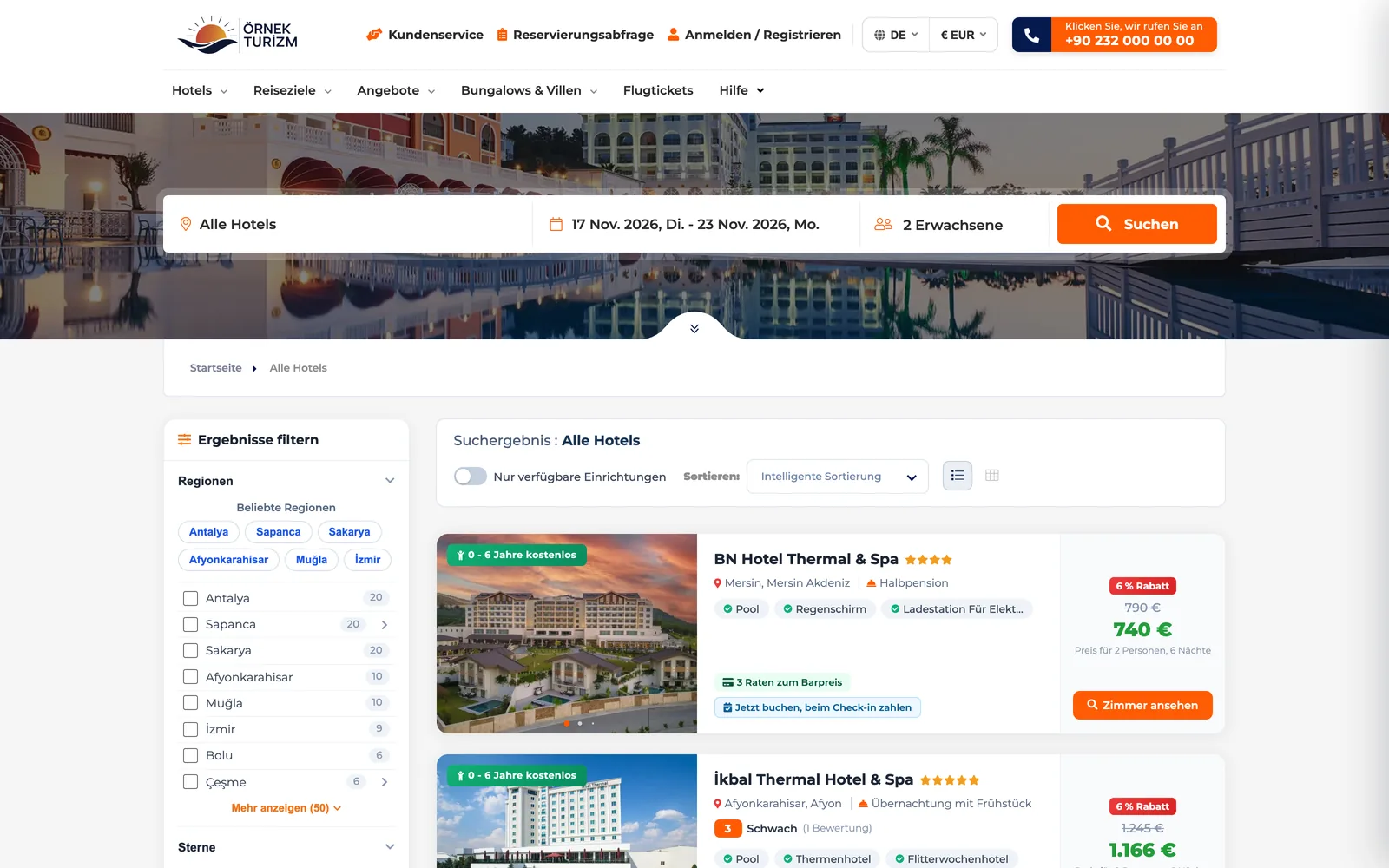 Real screensGerman booking website: hotel list with prices in euros

Who this solution is for
Designed for agencies that sell to guests and agencies abroad and work in multiple languages and currencies. Your booking website switches to the visitor’s language and currency, and documents are sent in the customer’s language. XRechnung invoices can be issued for Germany, and the ledger can be kept in EUR.
- Inbound agencies selling directly to foreign guests
- Agencies that provide prices and allotments to agencies abroad
- Agencies that apply different prices by market or nationality
- Agencies with a company in Germany that issue XRechnung invoices
How things work today, and what changes with TourMAX
Separate Excel sheets are kept for the German and Russian markets; the site runs in a single currency, and exchange differences are calculated by hand.
Price lines by market or nationality are kept on the property card. The site automatically shows the right price and currency for the visitor’s market.
The booking confirmation (voucher) is only in Turkish and the contract is translated separately; the agency writes the same document twice.
The interface, vouchers and contracts are available in 5 languages. The customer’s language is stored on their card, and documents are sent in that language. Property and tour content is translated into 5 languages with AI.
Customers in Europe expect a different invoice format, Germany requires XRechnung, and the ledger is kept only in Turkish lira.
A foreign invoice type, country-specific tax fields, XRechnung XML and ECB exchange rates are ready; the ledger can also be kept in EUR.
From market setup to international invoicing
Configure market and nationality pricing, and enter price lines and promotions for each market.
Language prefixes, translated URLs and hreflang are ready. The currency is selected automatically by country. If you have a business account in a country where Stripe operates, European payment methods are enabled through Stripe.
Bookings are created in the customer’s language; if the market changes, the price difference is presented for your approval.
Issue invoices with the foreign invoice type or as XRechnung, and work with agencies abroad through current accounts.
Multilingual infrastructure for the site, content and partners
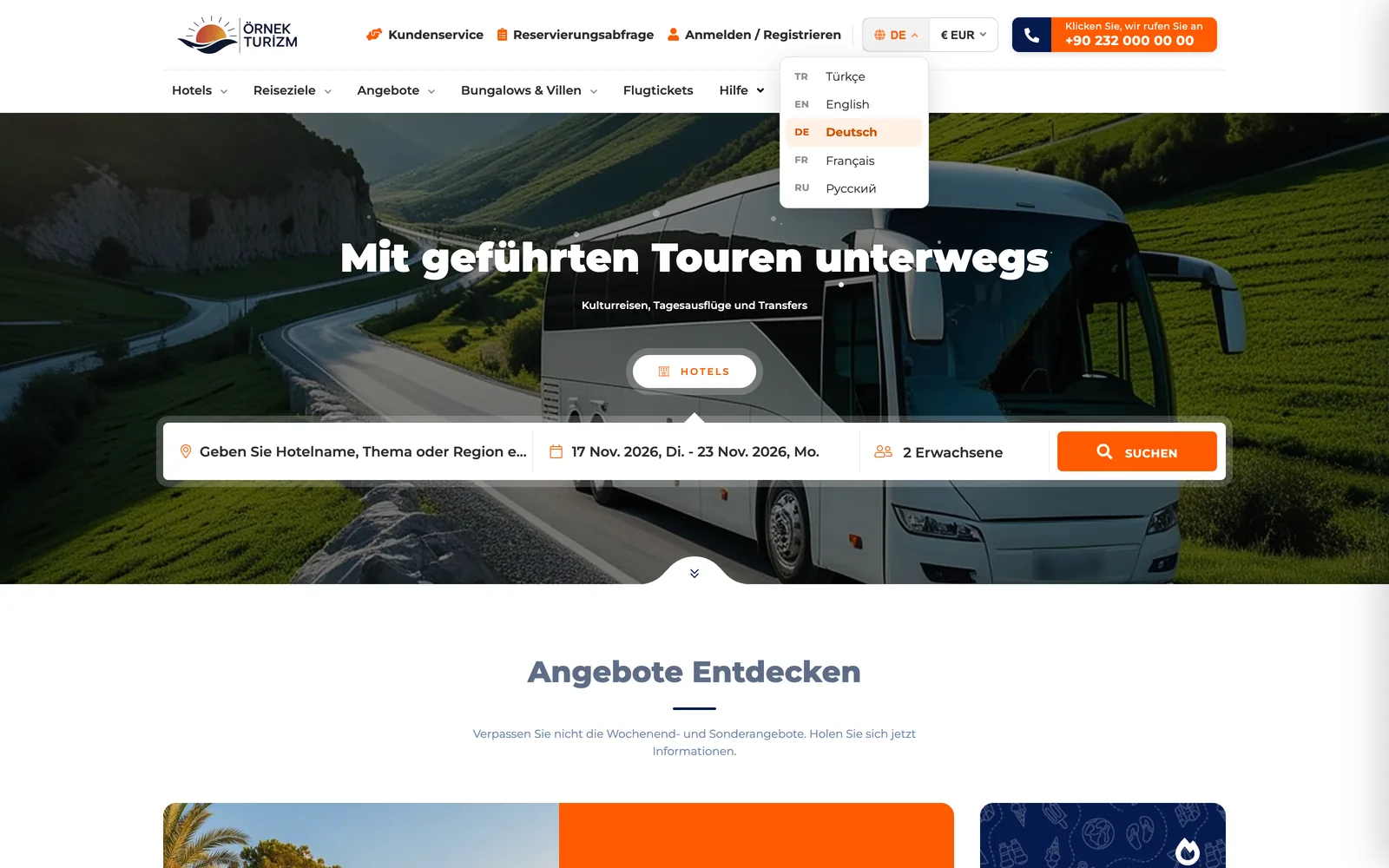
The site switches to the visitor’s language and currency
Your booking website is published in 5 languages: Turkish, English, German, French and Russian. Language-prefixed and translated URLs and hreflang tags are ready. The currency is selected automatically from 17 options based on the visitor’s country, and the price for the visitor’s market is shown.
- European payment methods with Stripe: SEPA, Link, MB Way, Revolut Pay, Bizum and Scalapay
- PayPal and 3D Secure card payments
- Blog, campaign pages and legal pages on the same site
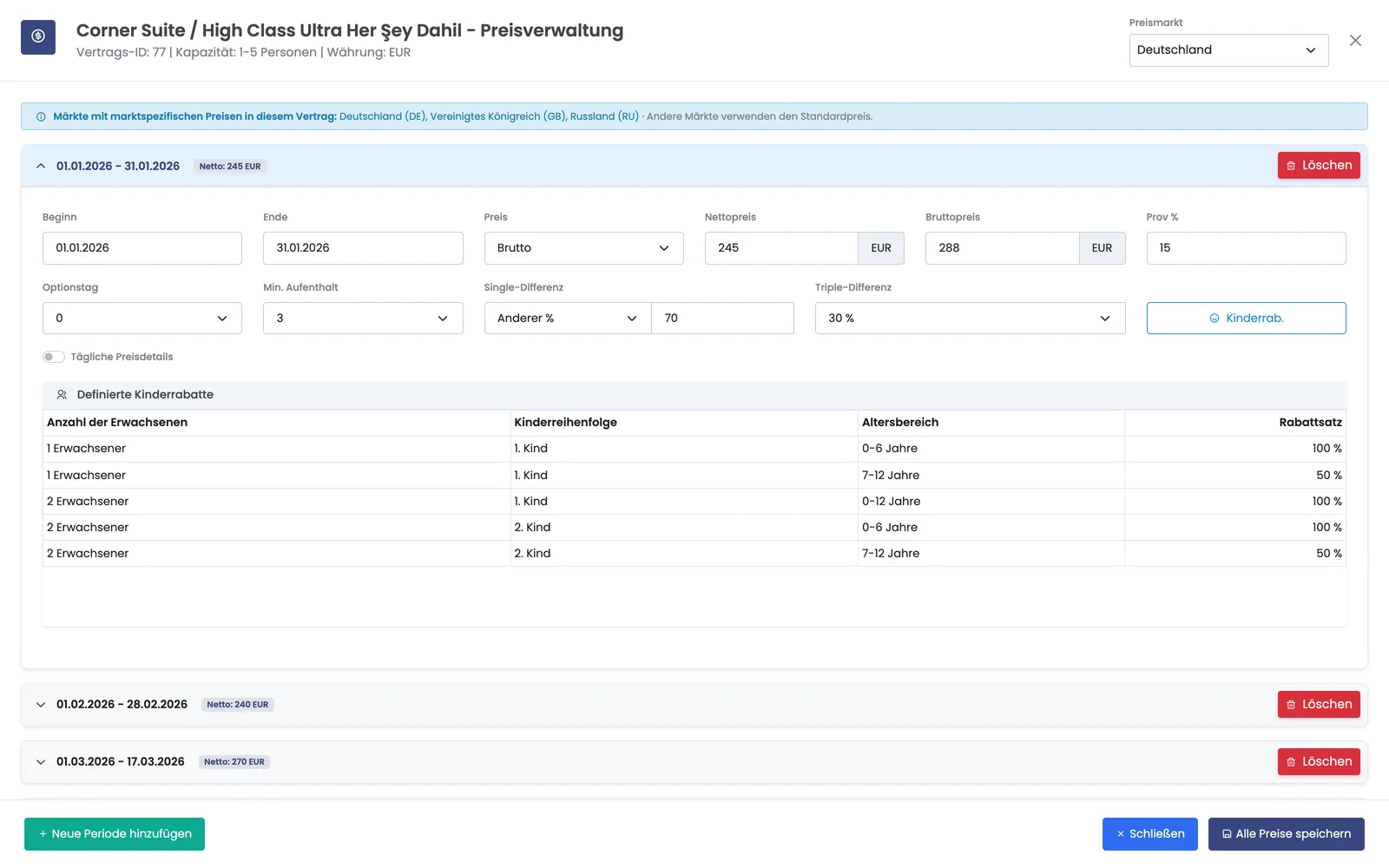
Set each market’s prices separately on the contract screen
On the contract’s Price Management screen, you select the country in the Pricing Market field and enter the period prices for that market. In countries where you have not entered market-specific prices, the standard price applies. You can offer different prices for the same room to the German, UK and Russian markets.
- Net price, gross price and commission rate per period
- Minimum stay, single and triple differences
- Markets with special prices are listed at the top of the screen
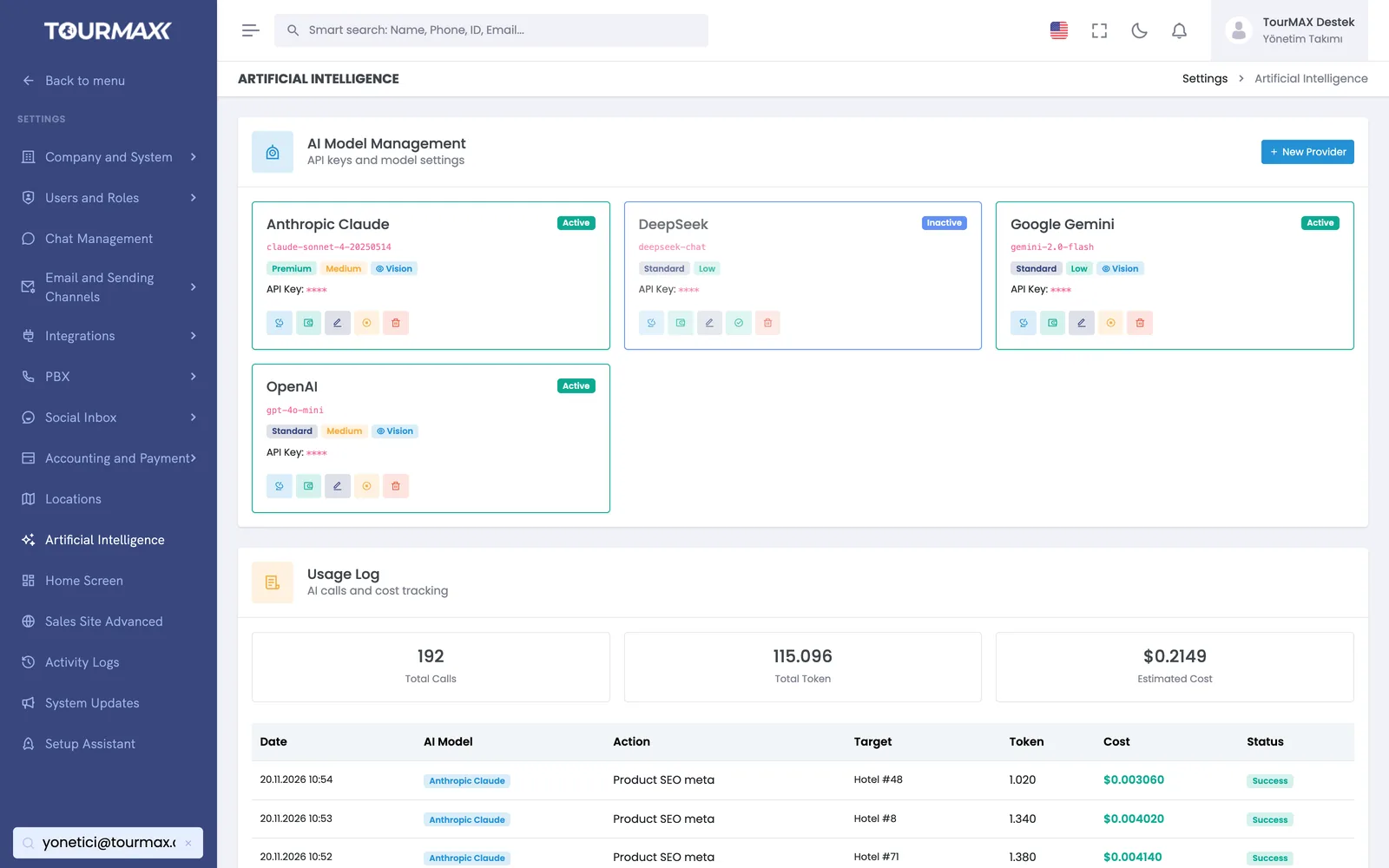
Property and tour content is translated into 5 languages with AI
You don’t need to write property and tour content separately for each language. Content is translated into 5 languages with the AI provider you choose, and usage costs are tracked in the panel. The booking document (voucher) and contract are also prepared in the customer’s language.
- 4 AI providers: OpenAI, Anthropic, Google Gemini and DeepSeek
- The customer’s language is stored on their card; messages and documents are sent in that language
- Multilingual property content can be imported from Paximum
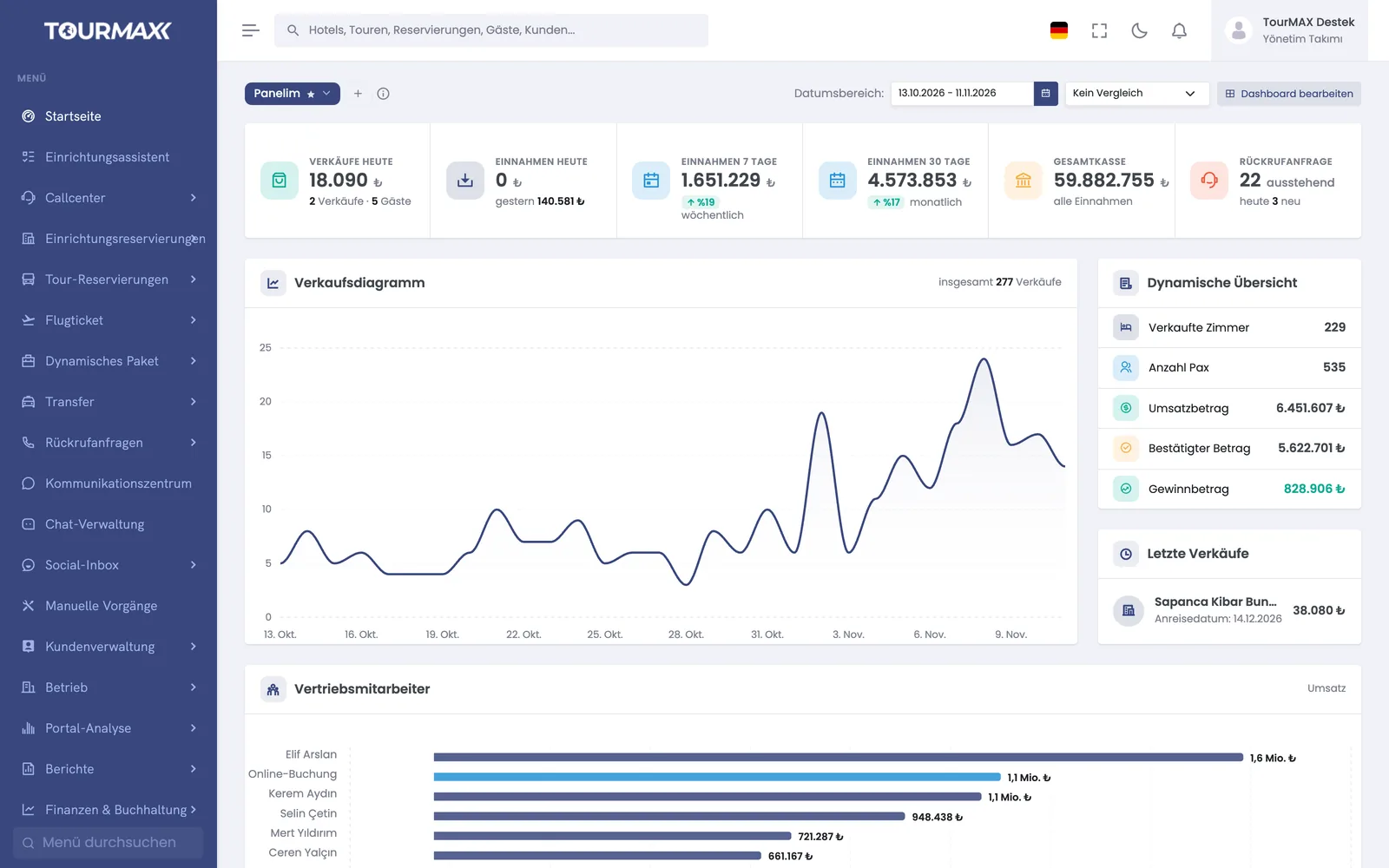
Your team uses the back office in its own language, with amounts shown in euros
The CRM works in Turkish, English, German, French and Russian; each user picks their own language and the choice is saved. When the books are kept in EUR, the dashboard, booking lists, cash, bank and sales reports show amounts in euros.
- Numbers, dates and percentages in the format of the chosen language
- Each user arranges the dashboard with their own widgets
- Profitability, ageing and account statements also in the book currency
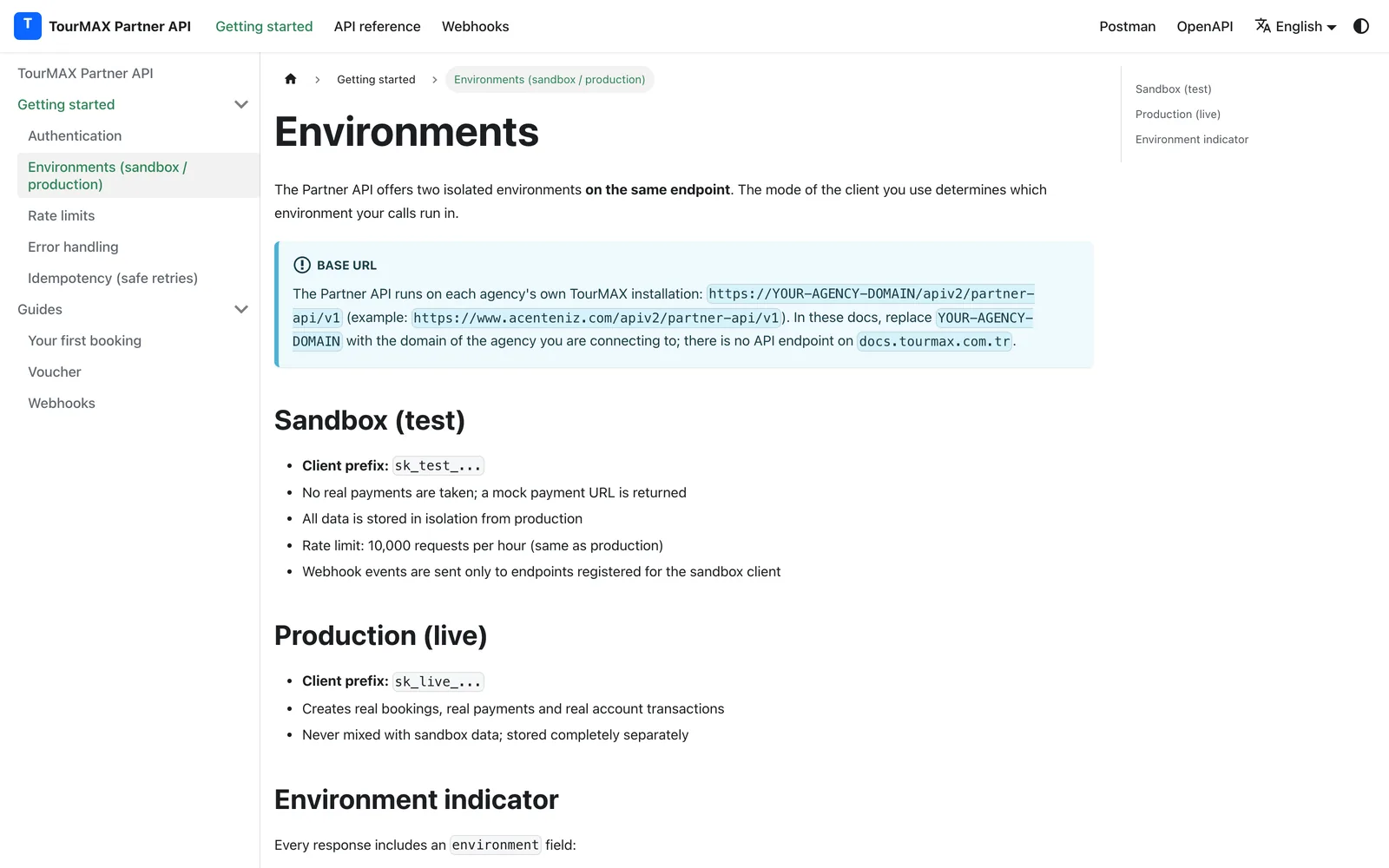
Agencies abroad connect through the portal or via API
Your partner abroad sees prices and allotments in the sub-agency portal and creates bookings on its own. Agencies with their own software connect via the Partner API: they search hotels and tours, lock a quote for 15 minutes, make bookings and get vouchers. The current account and commissions are tracked in the system.
- OpenAPI specification, Postman collection and test (sandbox) environment
- 6 HMAC-signed webhook events
- 10,000 requests per hour and IP restrictions
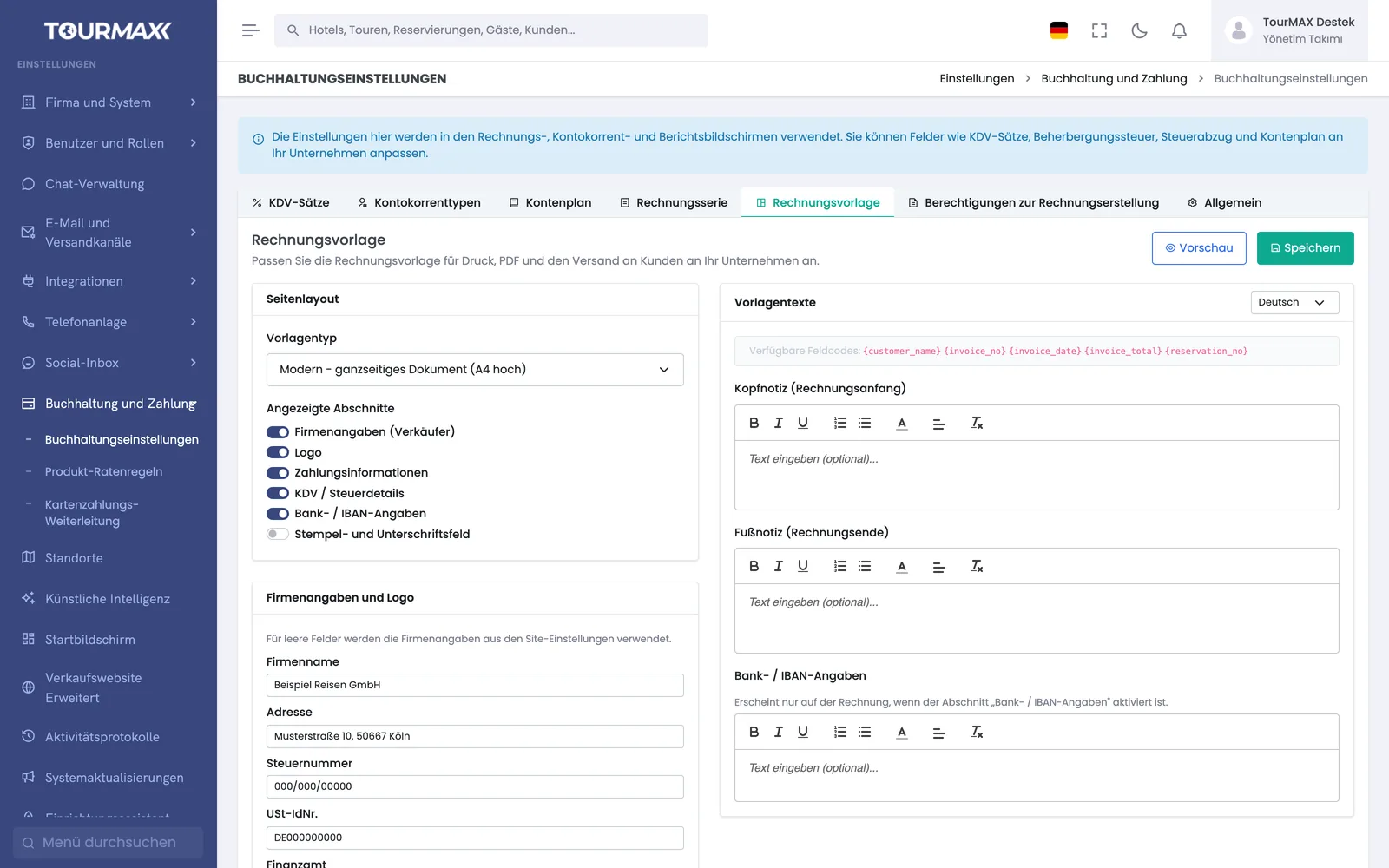
Invoice in the format your European customer expects
A foreign invoice type, country-specific tax fields and XRechnung XML for Germany are ready. The invoice template includes the German tax number (Steuernummer) and EU VAT number (USt-IdNr.) fields; template notes are written separately in 5 languages. The ledger is kept in TRY or EUR.
- Classic receipt-book layout or modern A4 template; logo and preview
- 4 invoice types and 4 tax regimes
- TCMB and ECB exchange rates; exchange rate difference lines for foreign-currency products
Booking Website
5 languages, 17 currencies, translated SEO URLs, Stripe and PayPal.
Learn more →Property Management
Multilingual property content; market and nationality price lines.
Learn more →Accounting and Finance
Foreign invoices, XRechnung, ECB exchange rates and EUR ledger.
Learn more →B2B Sales Channels
Sub-agency portal and Partner API for agencies abroad.
Learn more →Commonly connected integrations




5 languages and 17 currencies are available on every plan. Market and nationality pricing and the EUR ledger are included from the Professional plan upward. Market pricing is also available as an add-on for the Standard plan. If you have a company structure abroad, get a quote for Enterprise.
Compare plans