


Solution: agencies selling hotels, flights and transfers together
Package hotels, flights and transfers in one cart
For agencies that sell flight tickets and transfers alongside hotels. Hotels, flights and transfers become a package in a single search; payment is collected once and the ticket is issued automatically. In reports, each item appears in its own product tab.
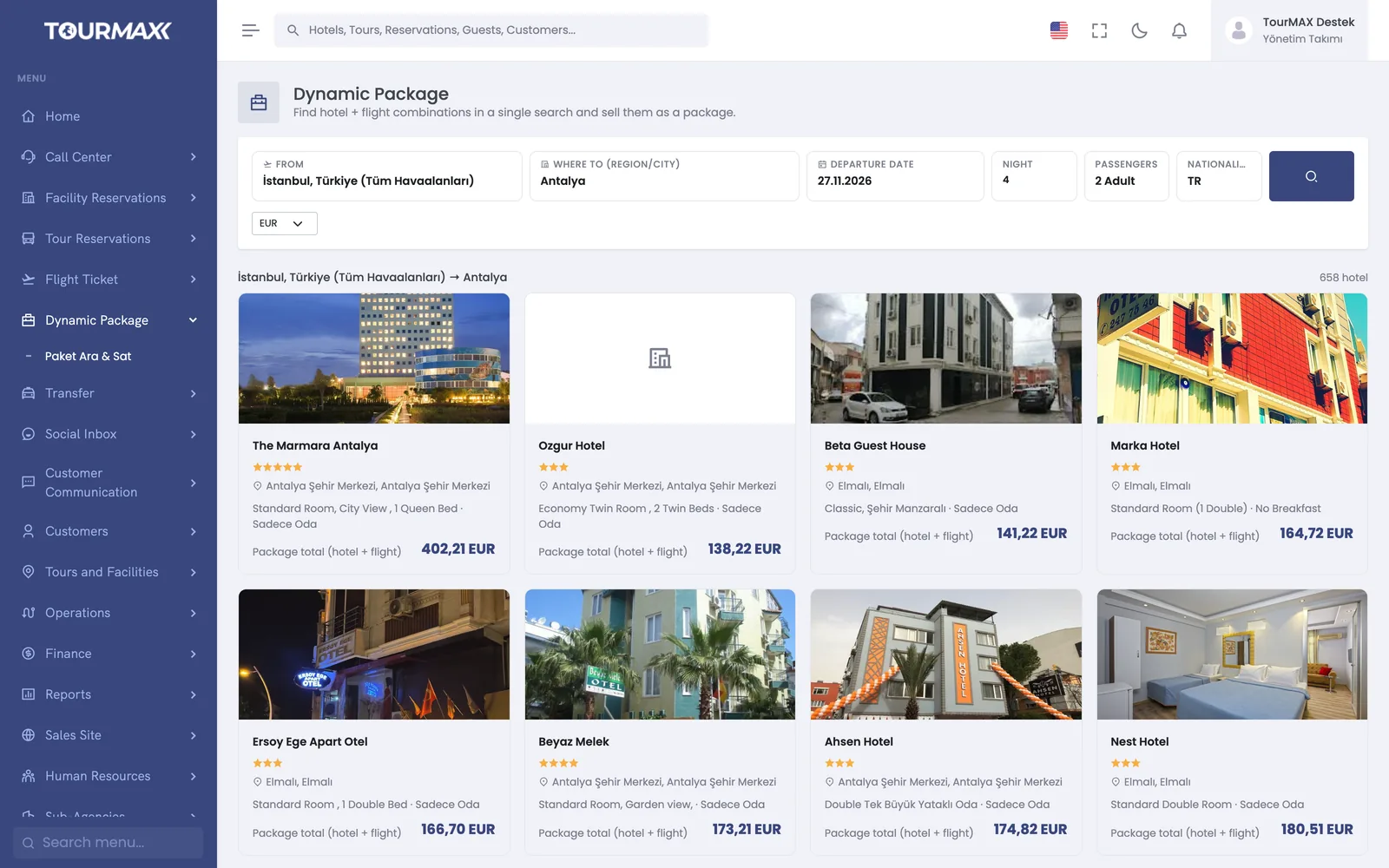 Real screensDynamic package result

Who this solution is for
Designed for agencies that sell flight tickets and transfers alongside hotels and want to give their customers a single price. All three products open in the same booking flow and are saved linked to one another. Payment is collected once, and the ticket is issued automatically after payment.
- Agencies that want to add flight tickets and transfers to hotel sales
- Agencies that want to sell packages and standalone flight tickets on their booking website
- Teams that want to track ticket and option dates in one list
- Agencies that want to price airport transfers from a rate catalog
How things work today, and what changes with TourMAX
Hotels in one system, tickets on the airline agency screen, transfers on WhatsApp; customer details are typed three times.
Hotels, flights and transfers open in the same booking flow. The customer card is created once, and the package strip links the three items.
One payment for the hotel, a separate card charge for the ticket; when a refund comes, it is unclear which item to deduct it from.
Payment is collected once in the cart, and the amount is allocated proportionally across items. Refunds are made per ticket, using the penalty rules defined in the system.
PNRs sit in email and option dates in someone’s head; if the ticket is not issued on time, the seat is lost.
Tickets are issued automatically after payment. The ticket list with 9 tabs syncs with the provider every 5 minutes and alerts you as the option date approaches.
Four steps from search to e-ticket
Round-trip flights, hotels and transfers are listed in a single search. Fare options and the price validity period are shown on screen.
On the booking website, the visitor chooses between “Room only” and “Hotel + flight + transfer”. In the panel, a flight or transfer can be added to an existing hotel booking.
The cart total is collected in one go by card payment, with installments and 3D Secure.
Once payment is confirmed, the ticket is issued automatically, and the e-ticket and booking voucher are sent to the customer.
From flight search to e-ticket in the same booking
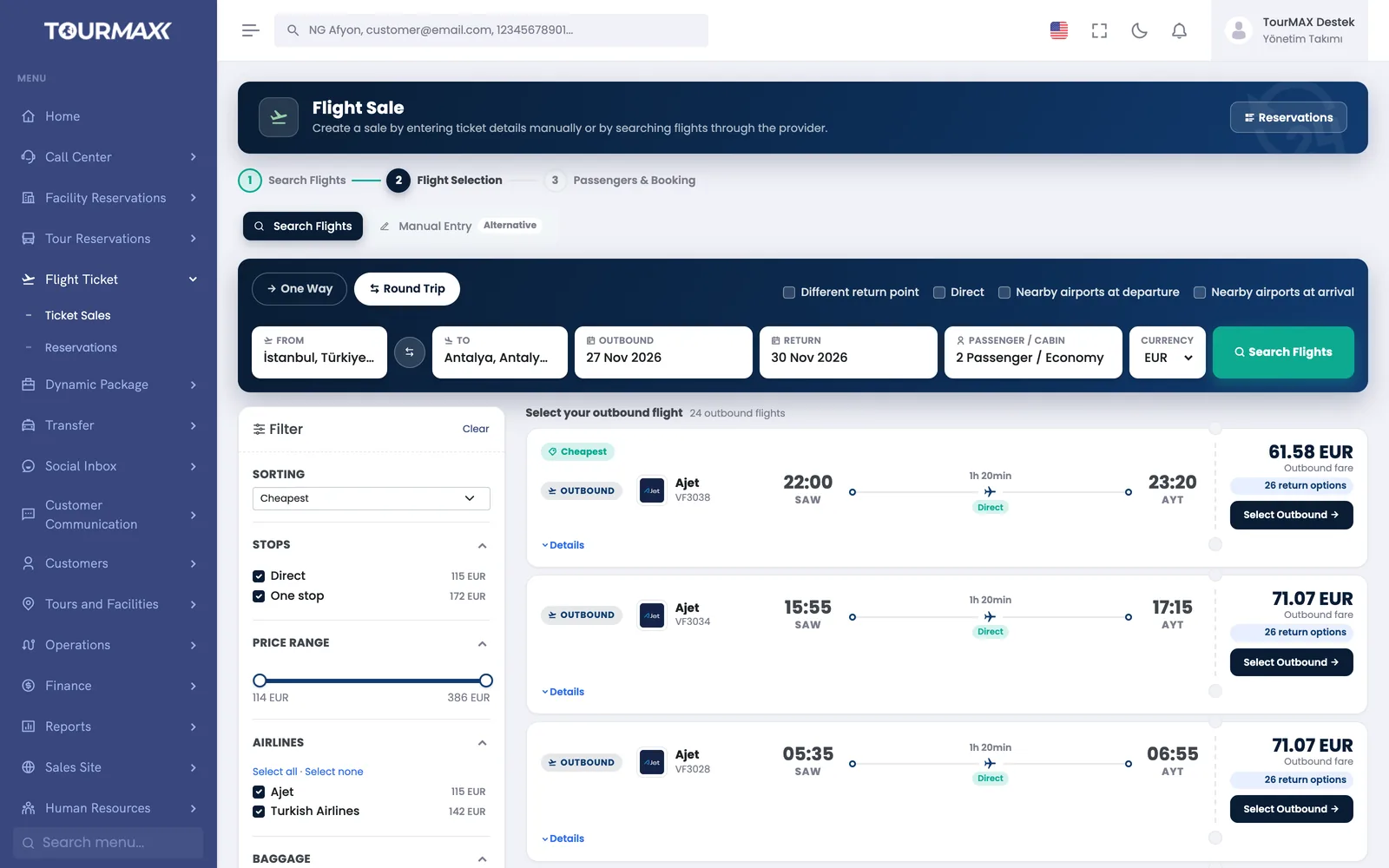
Live flight search in the panel and on your booking website
One-way, round-trip and open-jaw flights are searched live. Results are narrowed down with direct-only and nearby airport options, 11 filters and 4 sort orders. Fare options are listed together with ticket rules, and the price validity period counts down on screen.
- Basic, Flex and Premium fare options
- Support for separate booking codes for the outbound and return flights (split PNR)
- Expired prices are refreshed from the screen
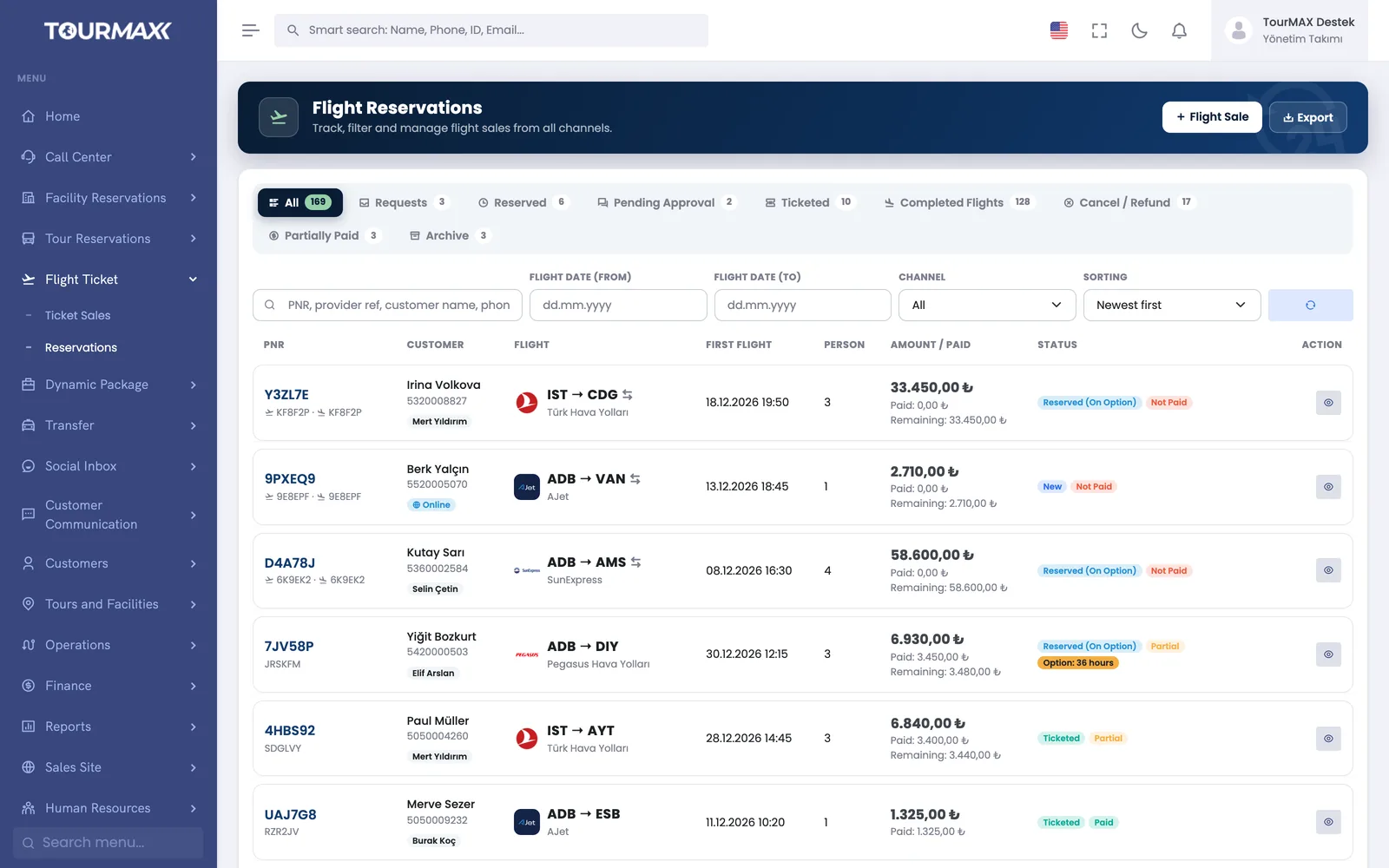
Once payment is received, the ticket is issued automatically
Once payment is confirmed, the ticket is issued automatically and the e-ticket is sent to the customer. The ticket list syncs with the provider every 5 minutes, and alerts are given for tickets with approaching option dates. Tickets purchased elsewhere are recorded manually and tracked in the same list.
- Ticket list with 9 tabs
- Penalty rules and ticket-level refunds
- Connecting segments, airline PNR and tax breakdown for manual entries
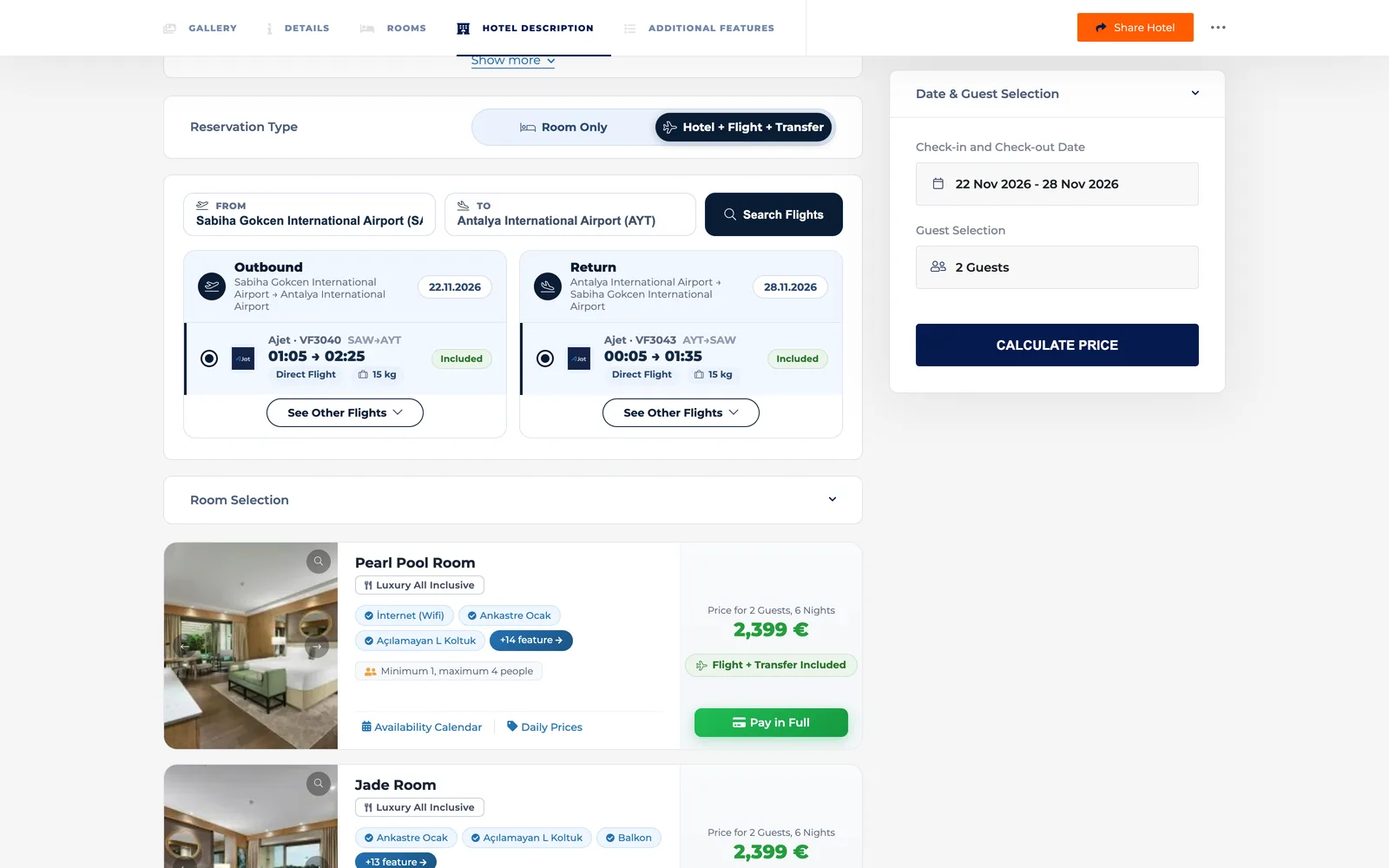
Visitors build their own package on your site
On the booking website, the visitor chooses between “Room only” and “Hotel + flight + transfer”. The booking is completed in 3 steps, and the amount is collected once by 3D Secure card payment with installments. Visitors can also buy just a flight ticket on your site.
- Cancellation policy and installment table on room cards
- Standalone flight tickets: search, passenger form, card payment and e-ticket
- Language and currency are selected based on the visitor’s country
Flights, Transfers and Packages
Live flight search, transfer rate catalog and dynamic packages.
Learn more →Booking and Sales
Hotel and tour bookings; flight and transfer items are linked to the hotel booking.
Learn more →Accounting and Finance
Payment allocation by item, refunds by ticket and item-by-item invoicing.
Learn more →Booking Website
Standalone flight ticket and dynamic package sales on your site.
Learn more →Commonly connected integrations





Flights, transfers and dynamic packages are included in the Premium and Enterprise plans. On the Standard and Professional plans, flights and transfers are available as an add-on. Dynamic packages can be added only to the Professional plan, together with this add-on. This module is not available on the Starter plan.
Compare plans