Marketing module New
Build campaigns from your customer data and measure how they turn into bookings
Contacts from different sources are merged by phone number and grouped into segments based on behavior. You build campaigns with a wizard, and every step from send to booking is counted in the conversion funnel. Communication consents are recorded in line with KVKK (Turkish data protection law) and İYS (Turkey’s message consent registry).
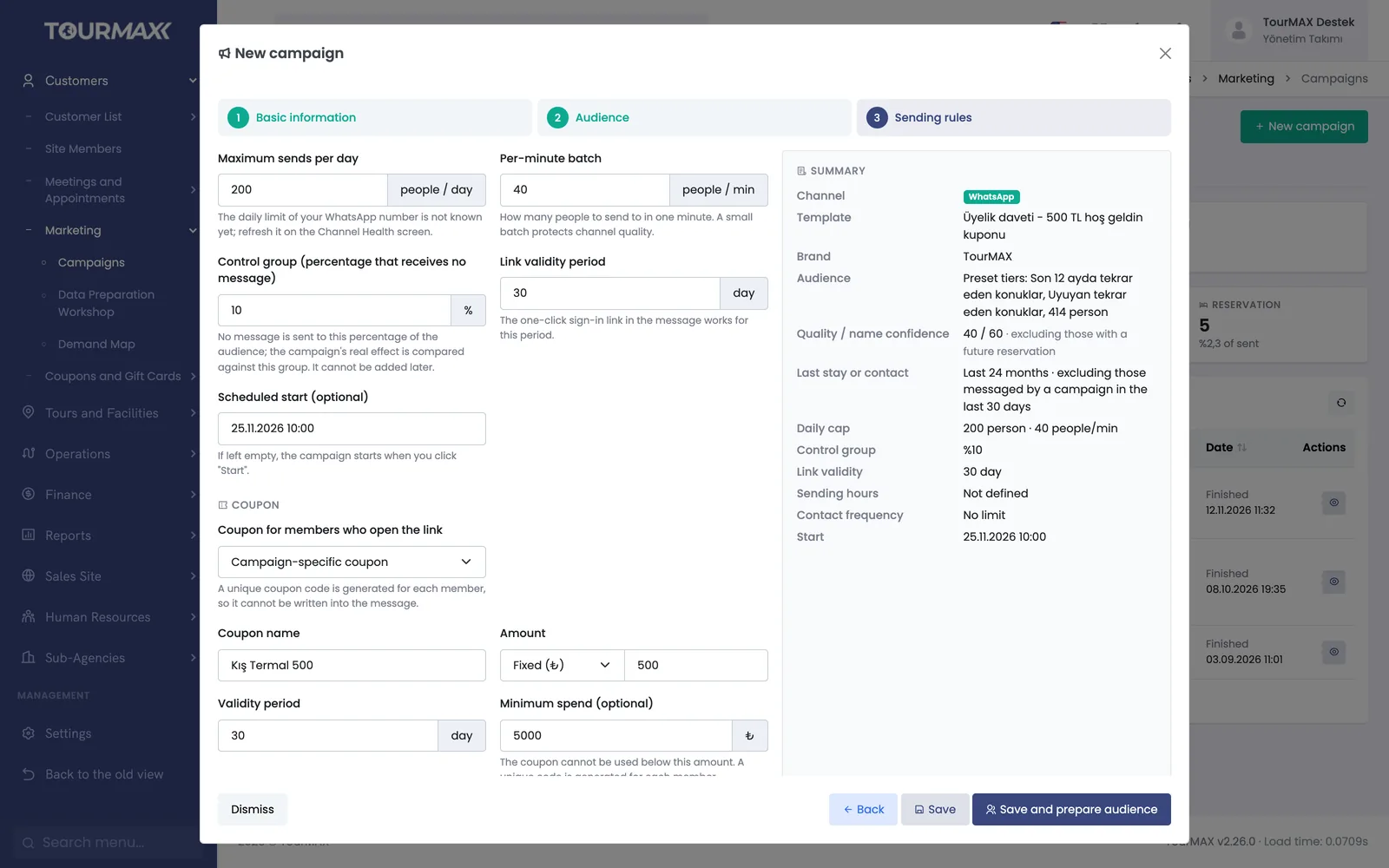 Real screensCampaign wizard: sending rules, control group and a campaign-specific coupon
Highlights of the Marketing module
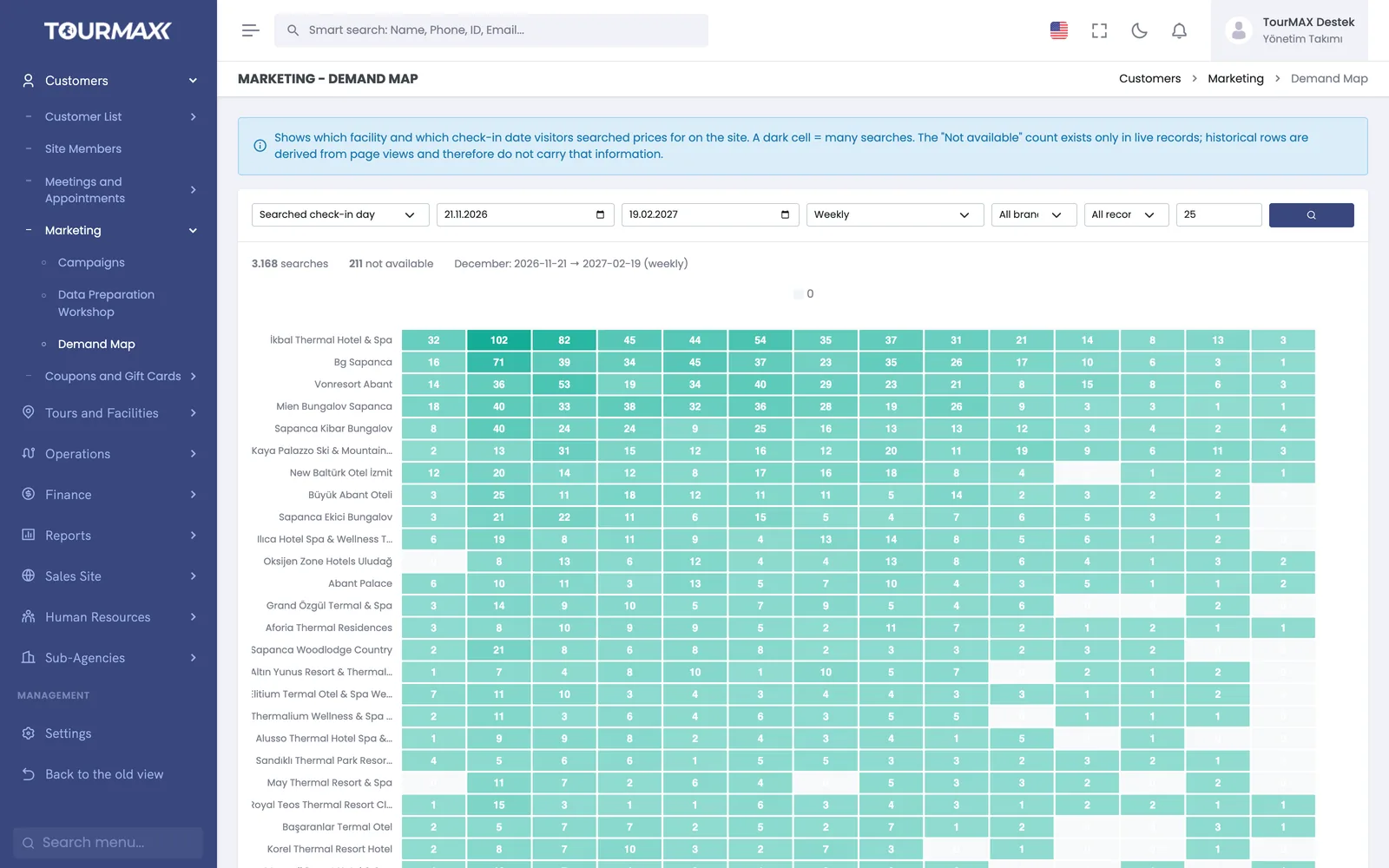
The map shows which regions and dates have demand
A heat map built from price searches on the booking website, showing which property is searched for which check-in date. The unavailable result rate and the lowest price appear side by side.
- Unified contact data. On the Data Preparation Workshop screen, contacts from 5 sources are merged into a single record by phone number. For each contact, a quality score and one of 9 behavioral segments (RFM), based on last purchase date, purchase frequency and spend, are calculated automatically.
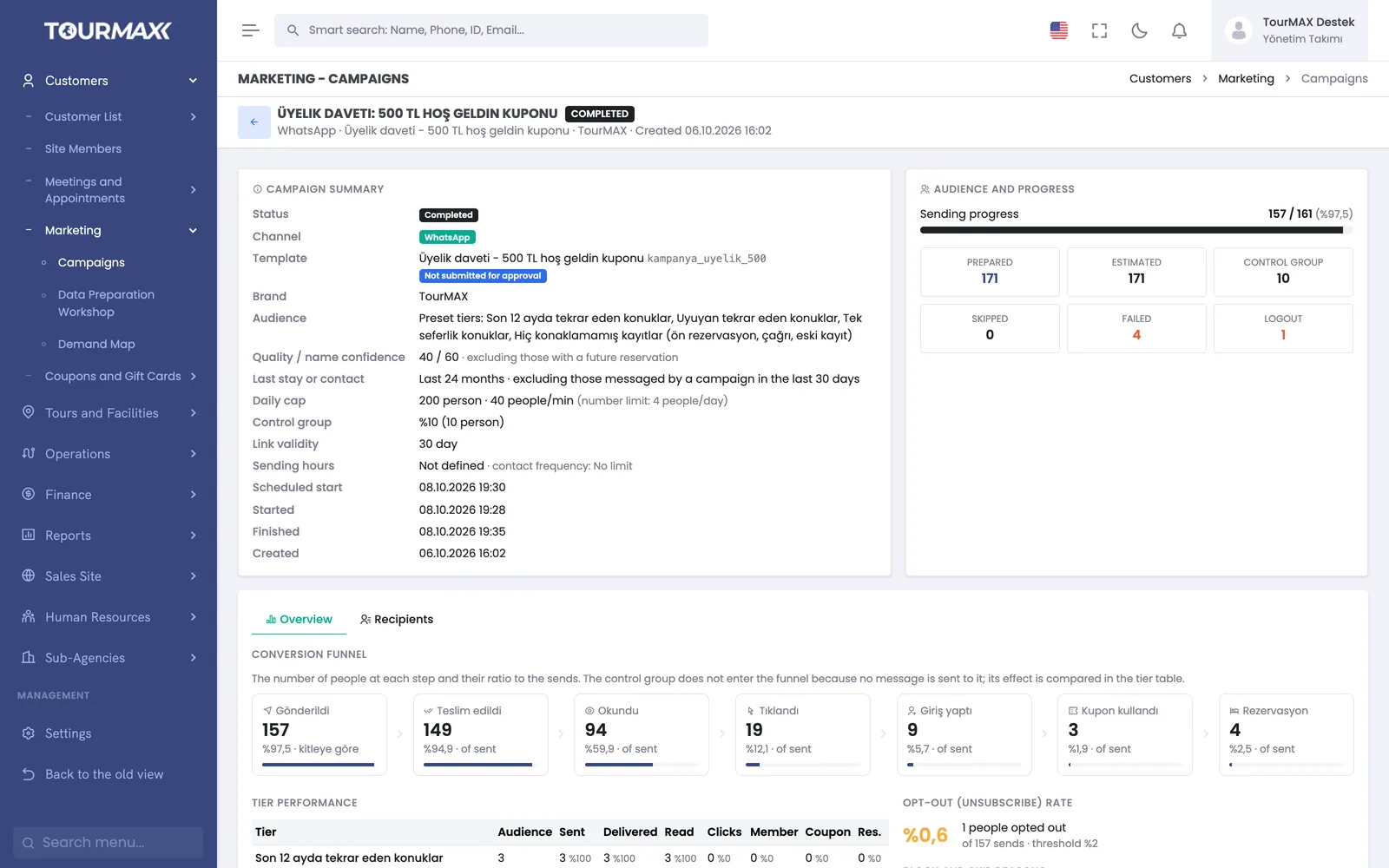
A control group measures a campaign's impact on sales
Sent, delivered, read, clicked, member login, coupon and booking steps are reported separately, and the unsubscribe rate is tracked.
- Control group and caps. Part of the audience is set aside as a control group that receives no message, and the campaign’s impact is compared against this group. With a daily cap, per-minute sending batches, test sends and test numbers, the campaign starts in a controlled way.
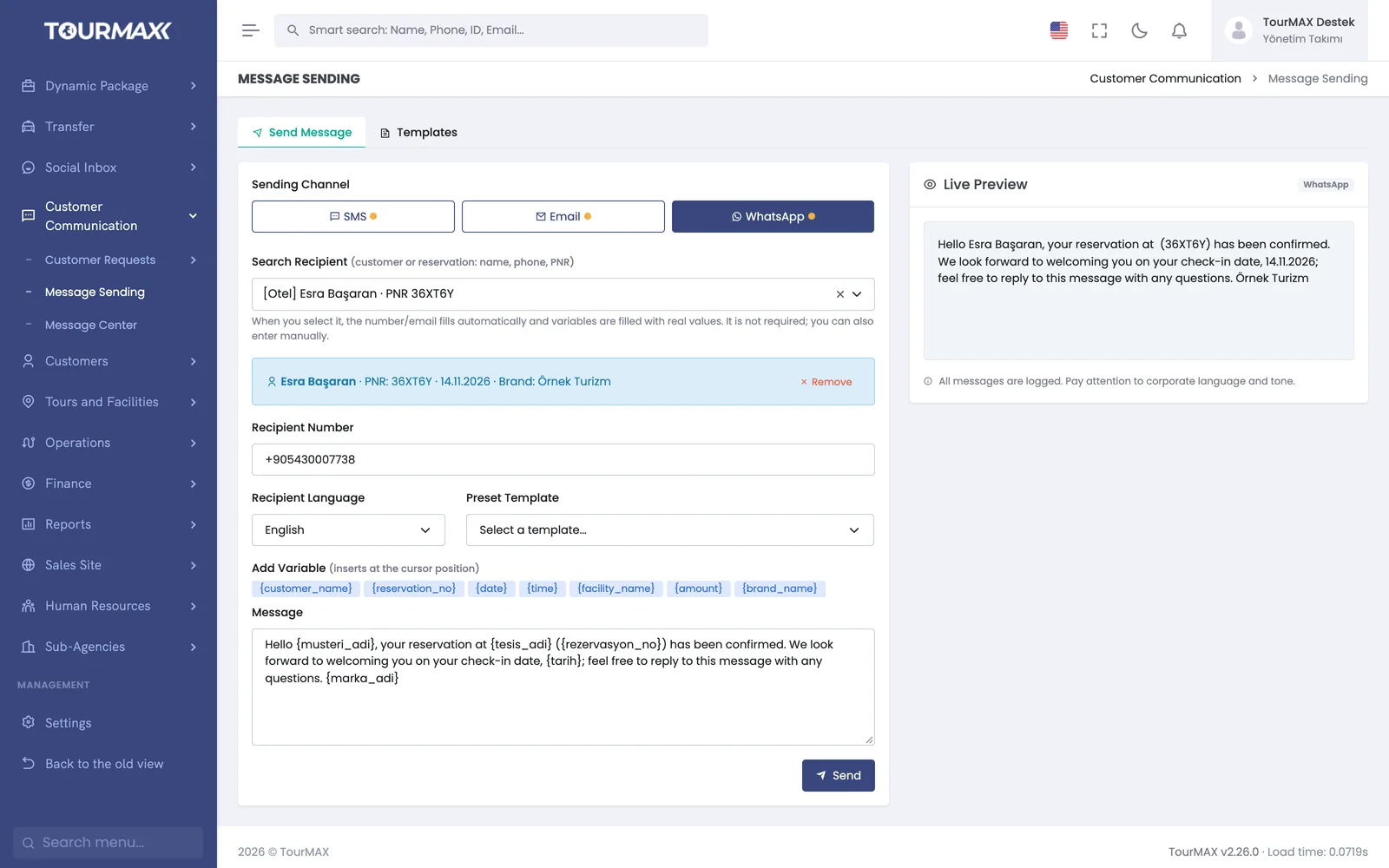
Single and bulk messages go out from the same screen, using templates
Send a single email, WhatsApp message or SMS to a customer, or a bulk message to selected contacts. You choose the template and sending brand, and every send is tracked in the message log.
- Multichannel templates. Templates in 5 languages for SMS, WhatsApp, email and social channels; variable dictionary, live preview and version history. WhatsApp templates are submitted for Meta approval from the panel.
Other features
Choose the channel, template, image and brand. The audience is built from ready-made tiers or with more than 12 criteria, and then the sending rules are set.
A personal coupon is assigned to members who open the campaign link. Customers can sign up and log in from the link with one click.
İYS account and brand mapping, transfer status and retries. Every communication consent is stored with an evidence record per channel and brand, and customers can unsubscribe with one click.
Step-by-step workflow
Segments and the demand map show what to offer to which customer.
Choose the channel, template and sending rules in the wizard, and set aside a control group.
The conversion funnel shows every step from send to booking; compare the results with the control group.
Marketing by plan
Items marked as add-ons can be added separately to lower plans; add-ons are billed monthly. You can find the plan comparison and add-on prices on the pricing page.