


Solution: tour operators
Fill the departure, plan the seats, get the operations list ready
For operators running domestic and international tours and educational school trips. Departure dates, allotments and option prices are entered on the Price & Date screen. The seat layout, passenger list and operations report are ready on departure day, and your sub-agencies can sell your tours through the sub-agency portal.
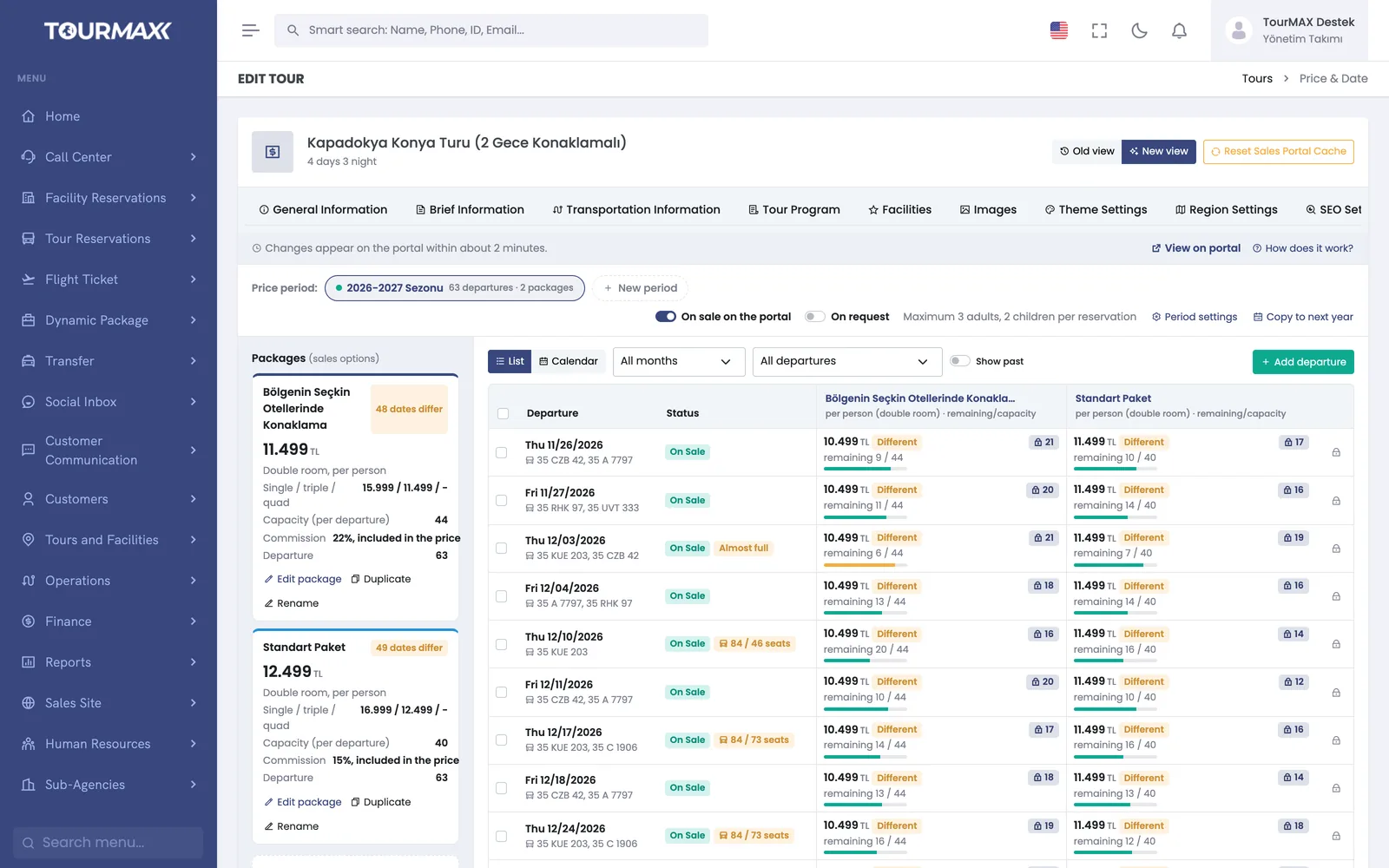 Real screensPrice & Date screen: prices and remaining allotment by departure

Who this solution is for
Designed for operators that run their own tours and work with departure dates and allotments. Day trips, international programs with accommodation and educational trips for schools are all defined on the same screens. Whether a sale comes from your own team, your booking website or your sub-agencies, it draws from the same allotment.
- Operators running domestic and international package tours
- Operations teams that prepare seat plans for coach tours
- Agencies that organize educational trips for schools
- Operators that sell their tours through sub-agencies and resellers
- Agencies that sell other operators’ tours alongside their own
How things work today, and what changes with TourMAX
How many seats are left on which departure gets lost between Excel and the phone; the same seat can be sold twice.
The departure board shows the occupancy rate and remaining allotment in real time. Stop sales and allotment overruns are controlled by unit-level permissions.
Seat numbers are on paper and changes come by phone; the plan is rewritten before the coach leaves.
The visual seat layout is color-coded; passengers are assigned, moved or removed with a single click. More than one vehicle can be added to the same departure.
Hotel rooming lists, transfer lists and insurance lists are each produced separately.
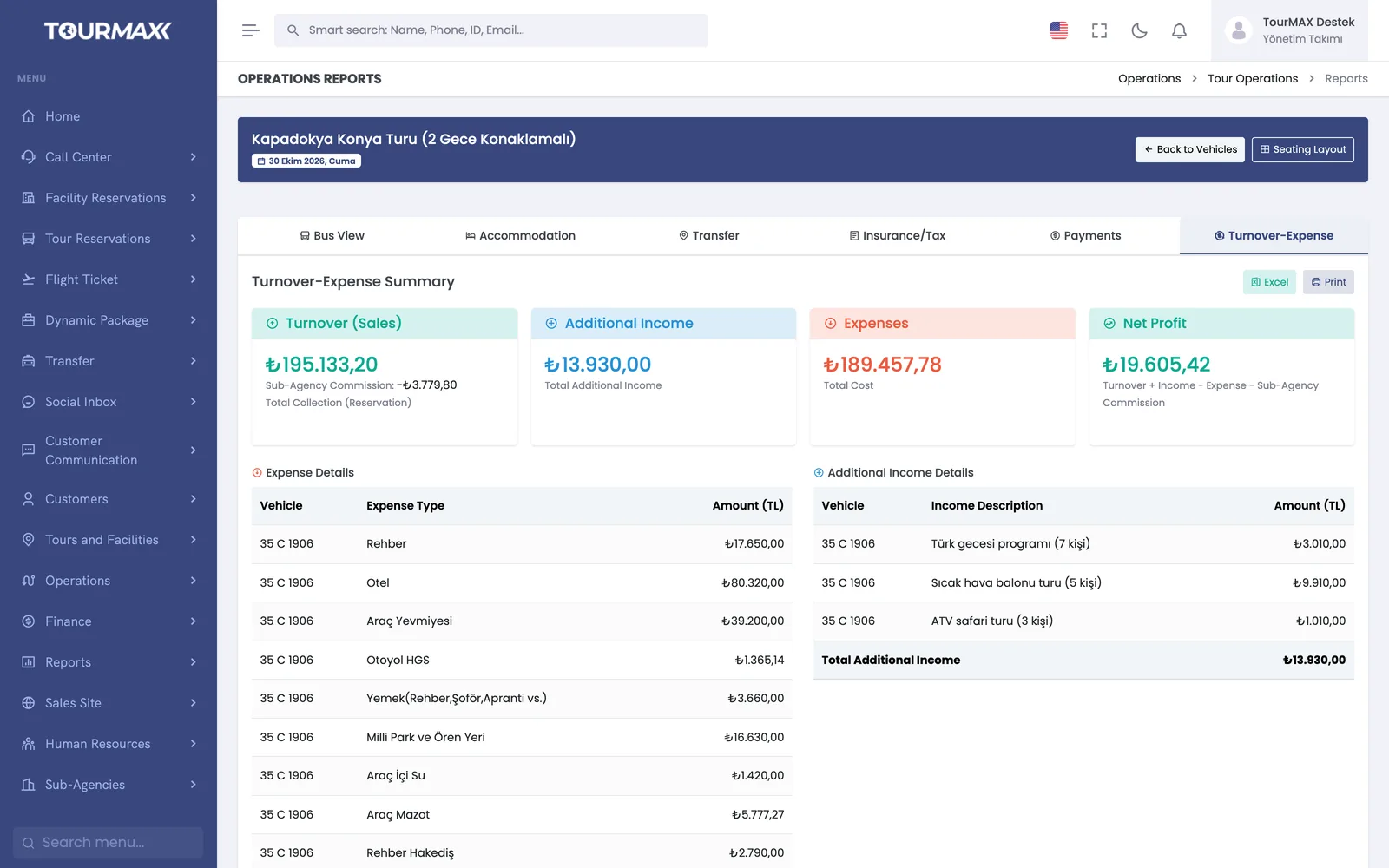
The operations report consists of coach, accommodation, transfers and boarding, insurance and taxes, payments and profitability tabs. It can be exported to Excel or printed directly.
From tour setup to departure day
Enter the itinerary, amenities and images in the tour wizard. You can copy last year’s tour and update only the dates.
Enter single or recurring dates, allotments and option prices; 1-4 guests and 3 child prices are defined per option. As occupancy rises, the price increases automatically according to the thresholds you set.
Bookings from the call center, the booking website and the sub-agency portal all draw from the shared allotment. The booking voucher is sent in the customer’s language.
Before departure, check the seat layout, passenger list and operations report. After departure, you see revenue and costs in the profitability report.
From seat plan to operations list in the same record
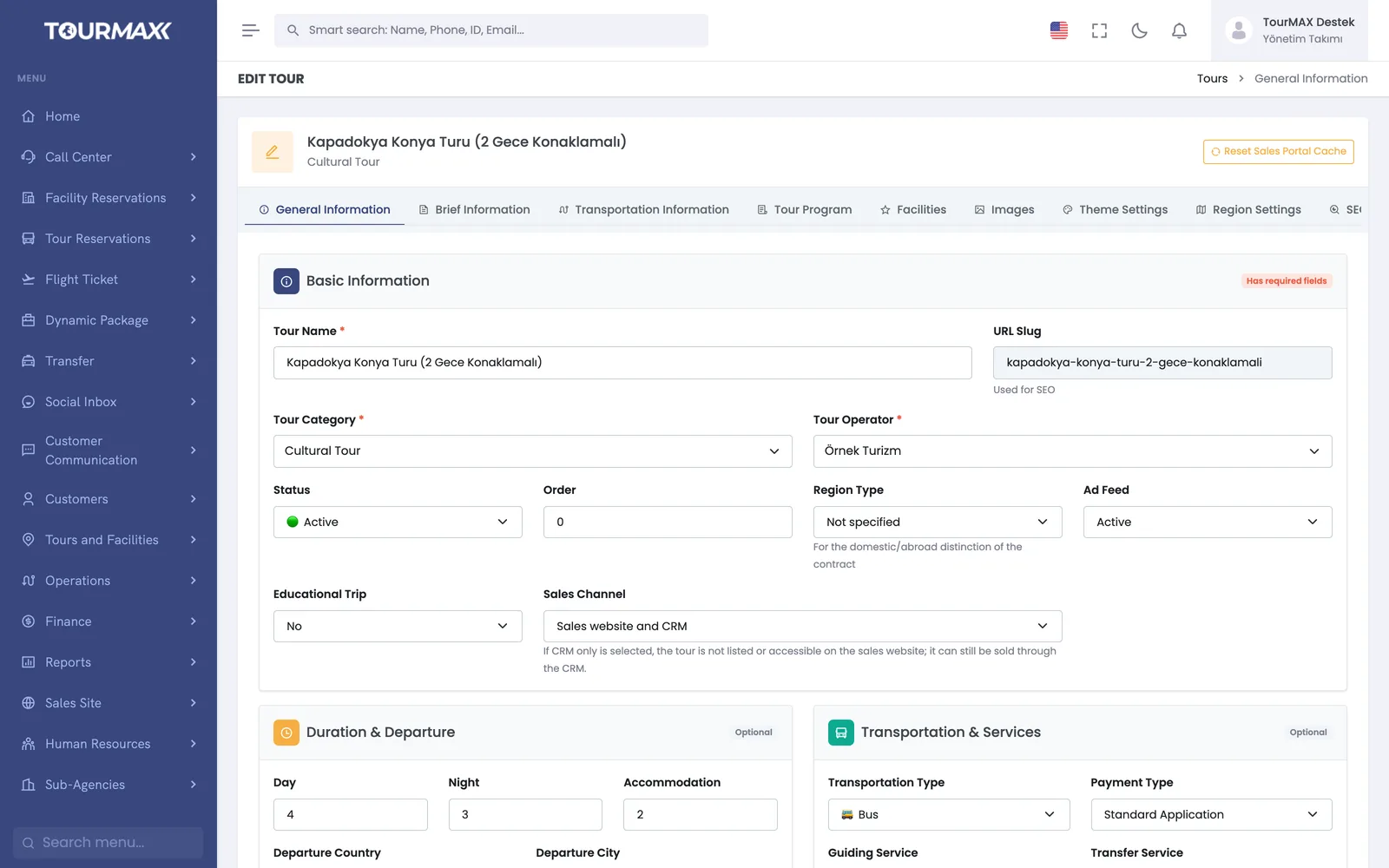
Define the tour once in the 11-tab wizard
Operator, transport type, departure points, route map, itinerary, amenities, images and SEO details are entered in the tour wizard. You can copy last year’s tour and update only its dates. Day-by-day itinerary texts are saved as drafts and reused across tours in the same region.
- 6 transport types; day trips and overnight programs
- Single or recurring departure dates and departure groups
- 1-4 guests and 3 child prices per option
- A price period is copied to next year with an optional percentage increase
- A tour can be marked as an educational trip; on these tours a separate booking is created for each participant
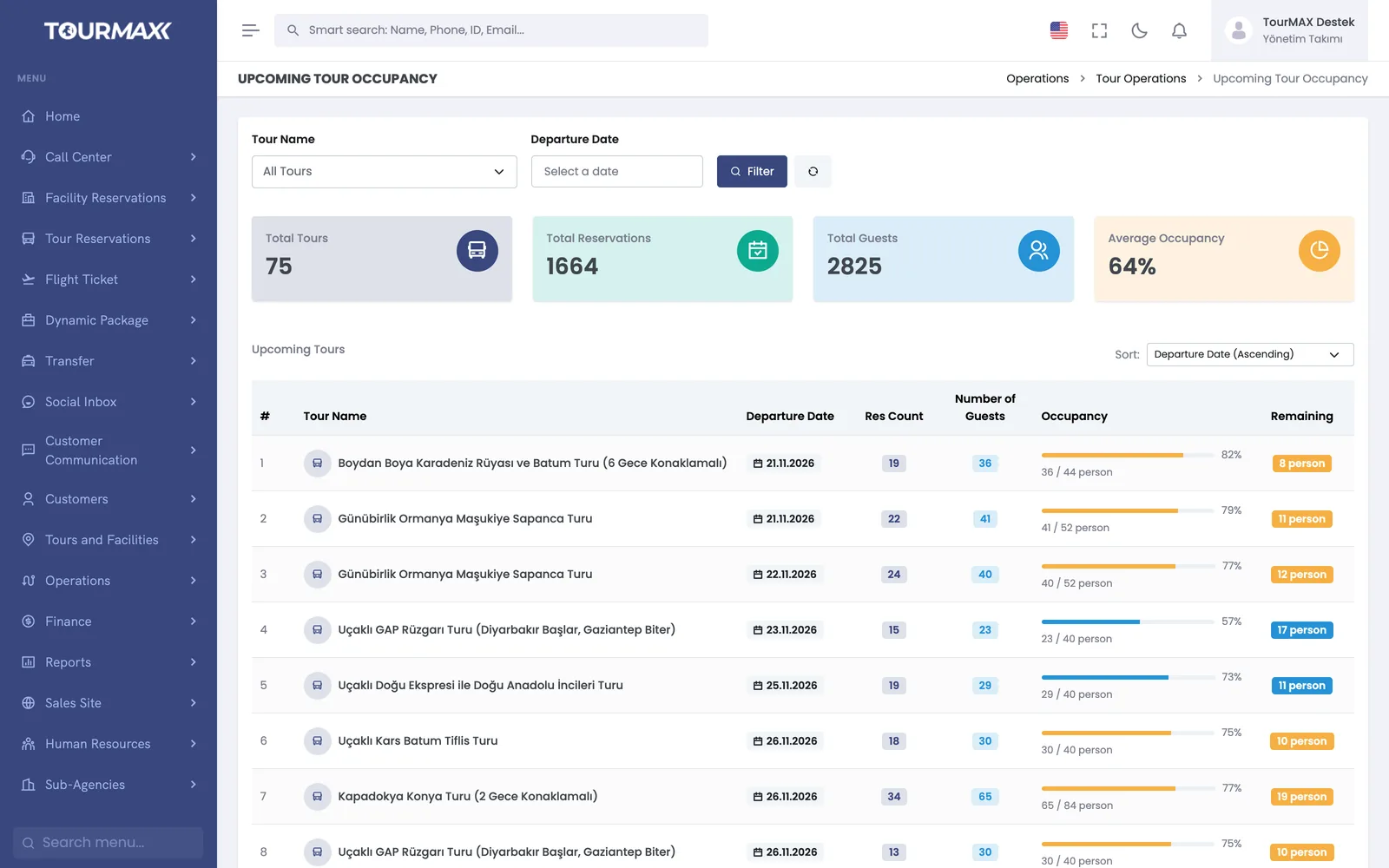
See how many seats are left on each departure on one screen
The Upcoming Tour Occupancy screen shows the number of bookings, the number of guests, the occupancy rate and the remaining allotment for each departure. You spot departures that are about to fill up and departures that are selling slowly in the same list.
- Summary of total tours, bookings, guests and average occupancy
- The list is filtered by tour and departure date
- The number of seats left is shown next to each departure
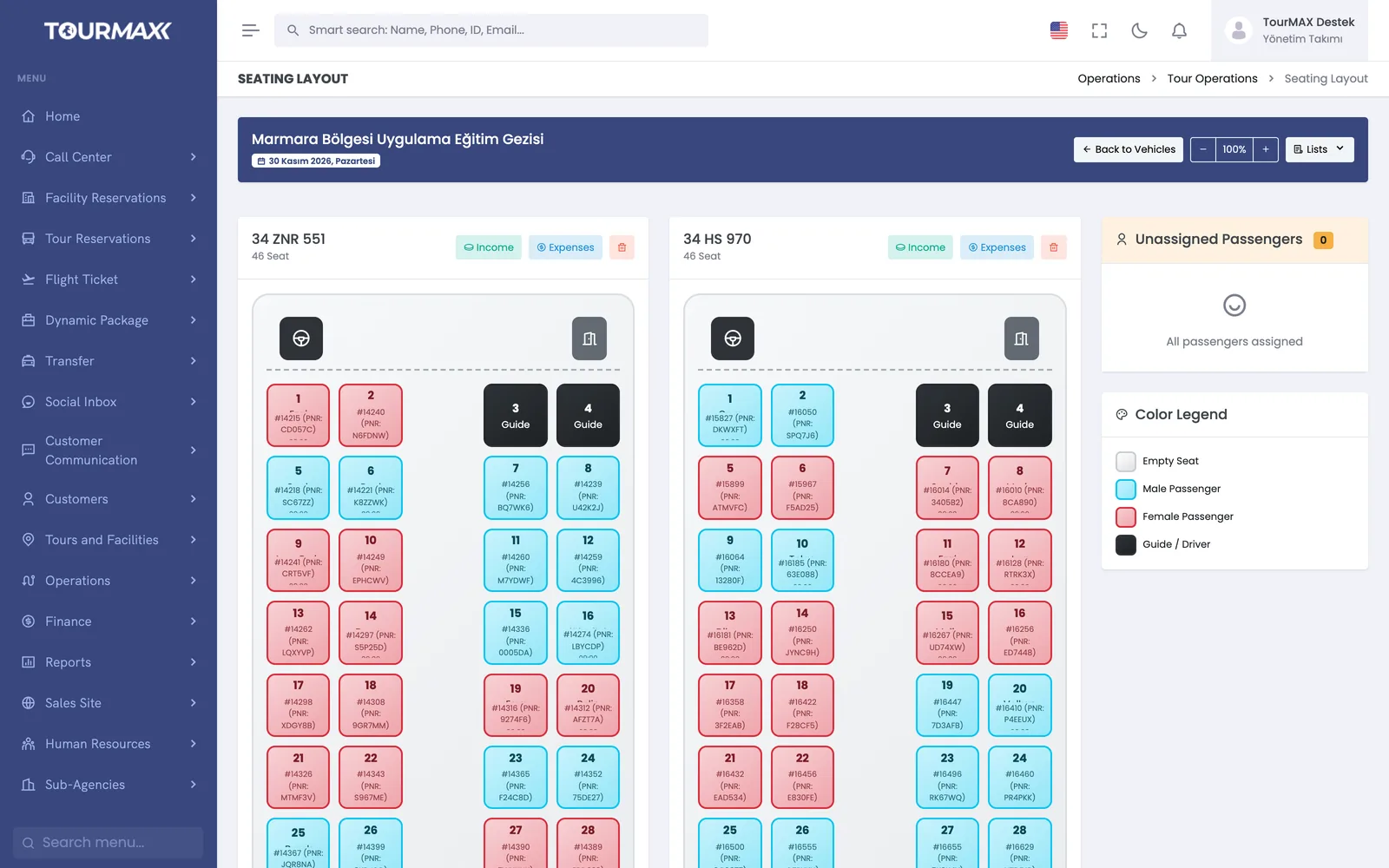
Passengers are placed in vehicles on a visual seat layout
One or more vehicles are defined for each departure. On the color-coded plan, empty and occupied seats are visible at a glance; passengers are assigned, moved or removed from the plan with a single click. The passenger list is generated per departure.
- More than one vehicle can be added to the same departure
- Vehicle income and expenses are kept in 4 currencies
Operations lists come from a single report
The operations report keeps the tour’s sales and operations details together from sale to return. It consists of coach, accommodation, transfers and boarding, insurance and taxes, payments and revenue-versus-cost tabs. You don’t need to prepare the hotel rooming list, transfer list and insurance list separately.
- The report is exported to Excel or printed directly
- After departure, revenue and expenses appear in the same report
- Exchange rate and exchange difference lines are kept for tours priced in foreign currency
- For another operator’s tour, the net amount payable to the operator is posted to its current account automatically
- Payments collected by the guide during the tour are recorded on the booking
Calls, the booking website and sub-agencies sell from the same allotment
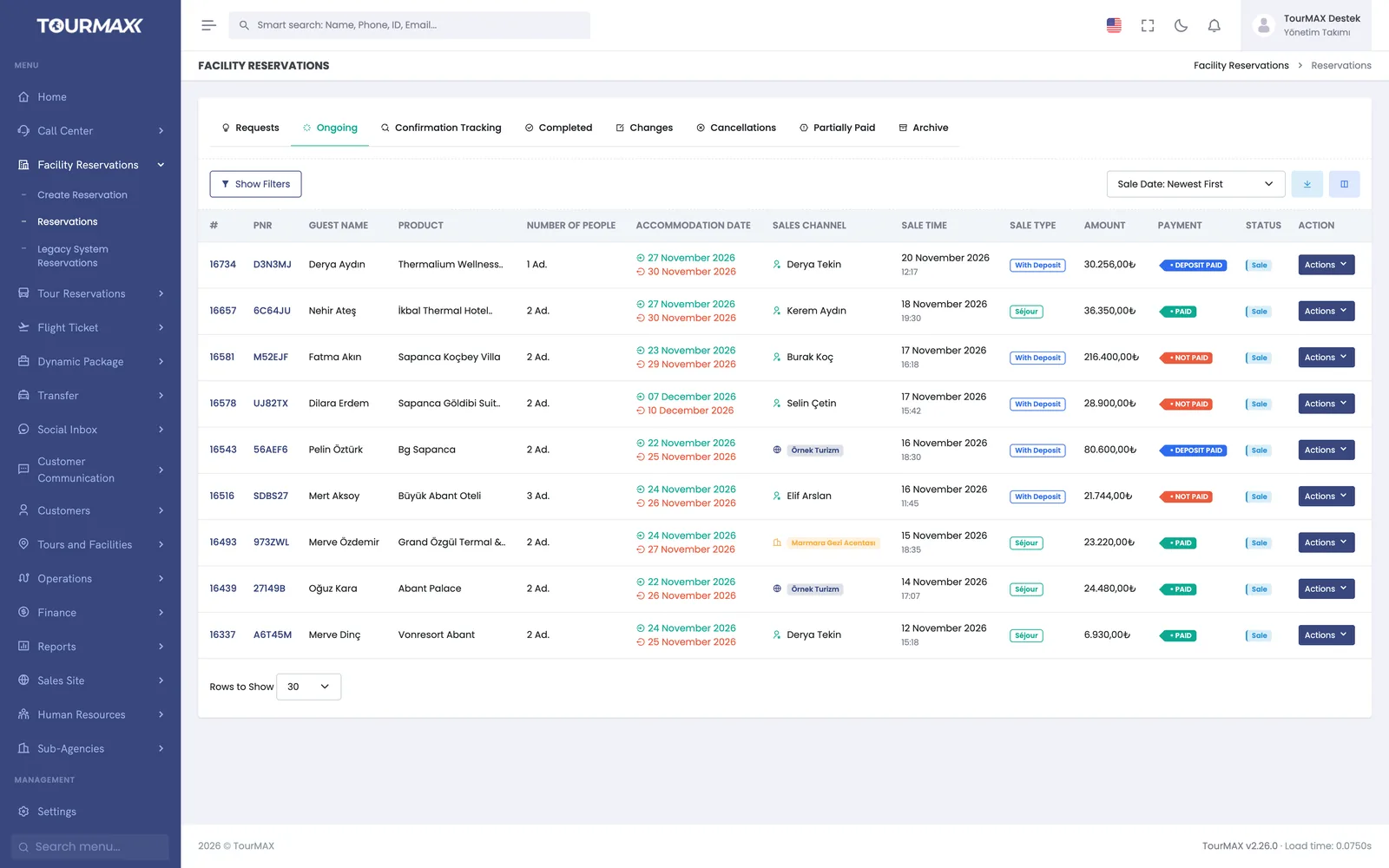
Bookings from the call center, the booking website and the sub-agency portal all draw from the shared allotment. In a tour booking, the departure point and option are selected, and guests are entered as a group. The booking document (voucher) is sent in the customer’s language.
- Bookings are tracked in a booking list with 8 tabs
- As occupancy rises, the price increases automatically according to the thresholds you set
- The installment options offered are set per tour and option
Your sub-agencies sell your tours from their own portal
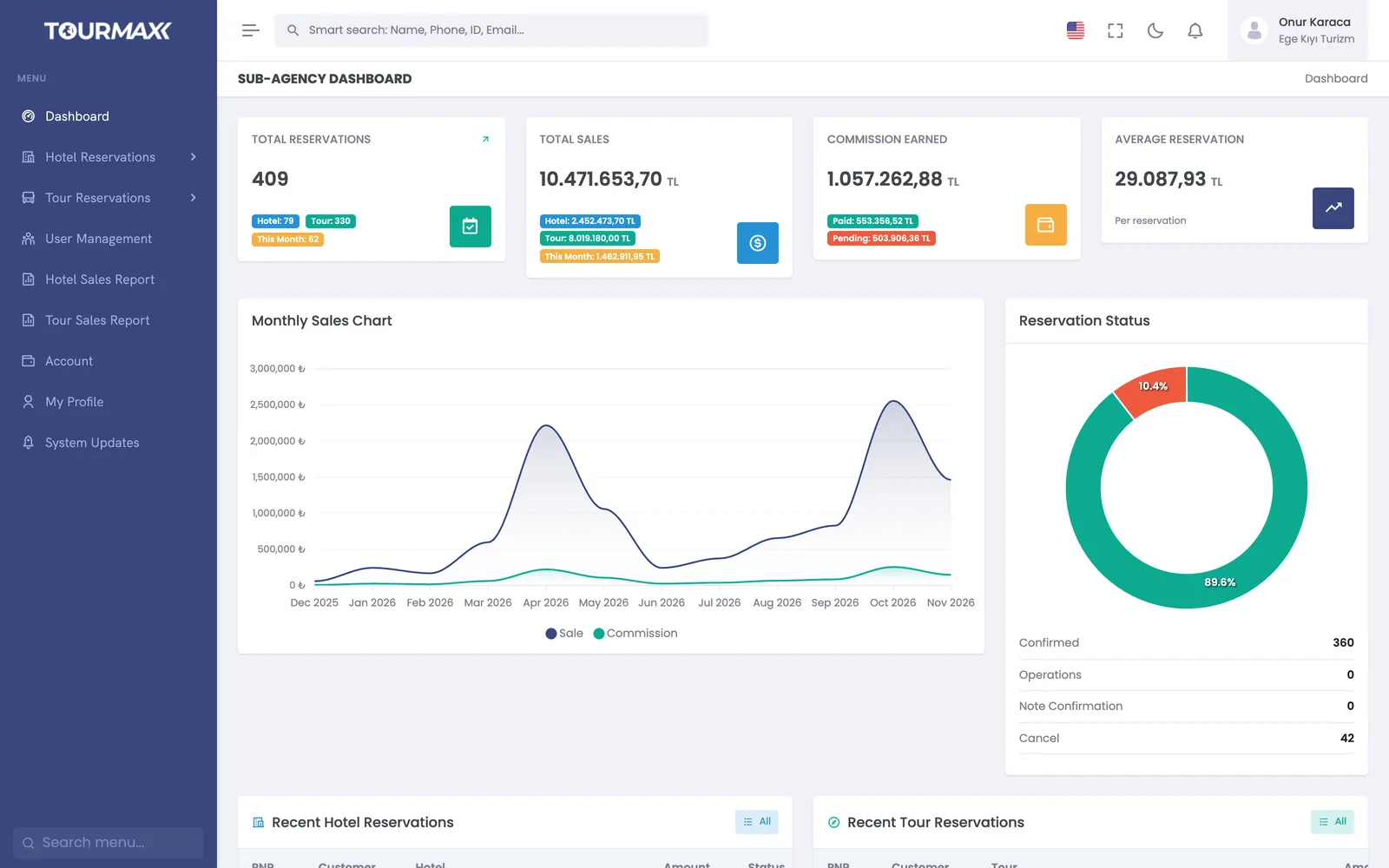
In the sub-agency portal, the sub-agency sees available departures and prices and creates bookings on its own. The commission or net working model is defined on the sub-agency card and calculated automatically on every sale. At month end, reconciliation is done on one screen.
- Sub-agencies see only their own bookings, current account and reports
- A bulk bank transfer is allocated across bookings
- Partners with their own software connect via the Partner API
Tour Management
Price & Date screen, tour wizard, itinerary drafts, seat layout and operations report.
Learn more →Booking and Sales
Tour bookings with departure points, options and group-based guest entry.
Learn more →B2B Sales Channels
Your sub-agencies sell through the sub-agency portal; commissions are calculated automatically and reconciliation is done on one screen.
Learn more →Reports and Dashboard
Profit and profitability columns in the sales report; sales analysis and the profitability report by departure.
Learn more →Commonly connected integrations






Tour management, the seat layout and the departure board are available on every plan. The sub-agency portal, the property portal (extranet), supplier tour connections and the departure profitability report are included from the Professional plan upward. Small operators that sell only tours can start with the Starter plan.
Compare plans