


Solution: agencies with multiple branches and a sub-agency network
Manage branch and sub-agency sales, commissions and reconciliation together
For agencies with multiple branches, sub-agencies or resellers. Sub-agencies create bookings through the sub-agency portal, and their commissions and current accounts are processed automatically. Hotels enter their own prices through the property portal (extranet), and your partners’ software connects via the Partner API.
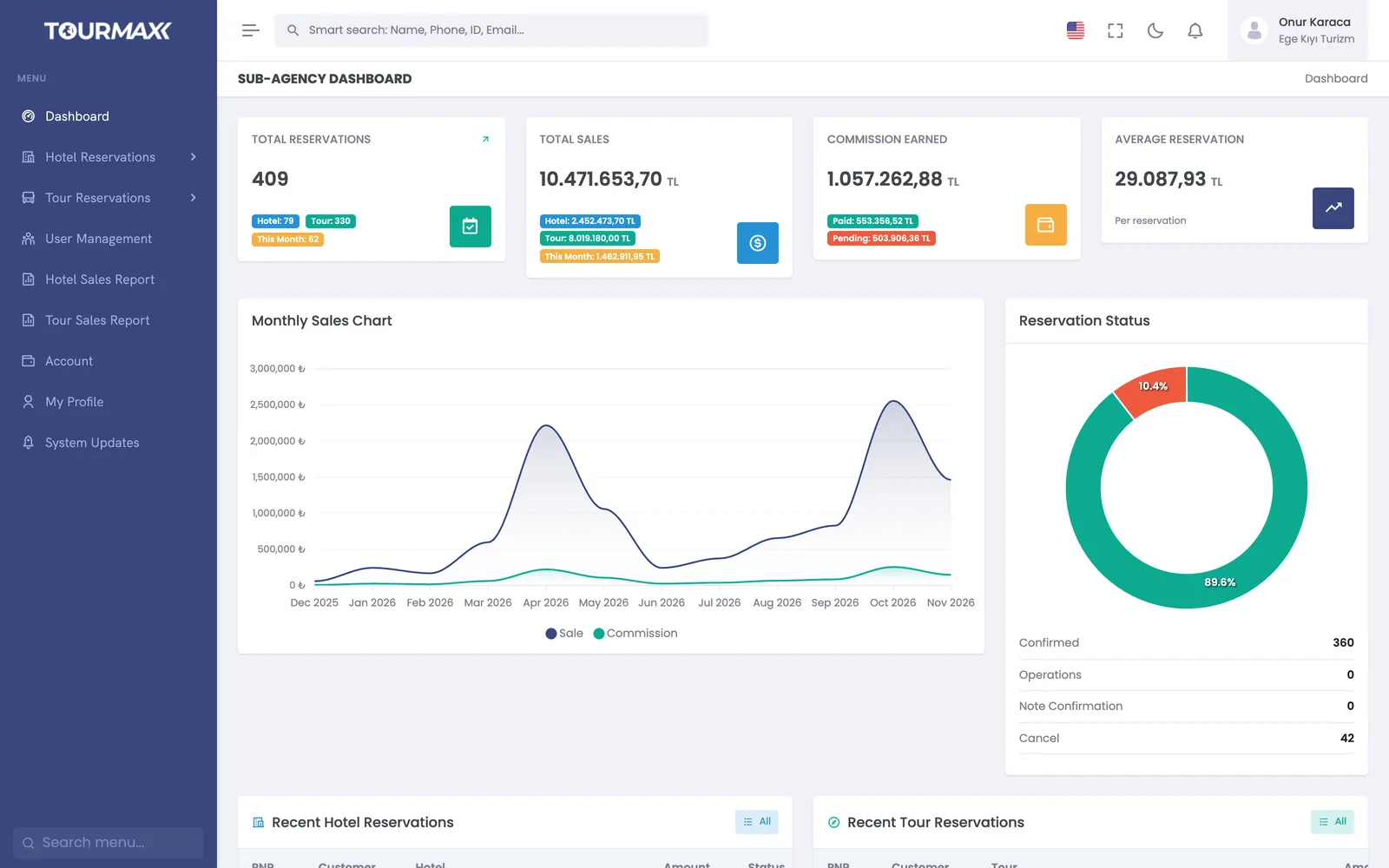 Real screensSub-agency portal

Who this solution is for
Designed for agencies that make part of their sales through branches, sub-agencies or resellers. Sub-agencies sell from their own portal, and their commission and current account are processed with every booking. Hotels update their own prices and allotments, and changes go live once you approve them.
- Agencies selling through a sub-agency or reseller network
- Agencies with multiple branches or brands
- Agencies that want hotels to enter their own prices and allotments
- Agencies that want to give partners’ software live prices and availability
How things work today, and what changes with TourMAX
Each sub-agency’s sales are collected in Excel, commissions are calculated by hand, and reconciliation takes a long time.
The commission or net working model is defined on the sub-agency card. Paid, cancelled and offset statuses are tracked; a bulk bank transfer is allocated across bookings, and reconciliation is done on one screen.
The sub-agency sells in another system and notifies you by email, and you enter the booking again.
In the sub-agency portal, the sub-agency sees the property fact sheet, prices and allotments, creates bookings and gets its reports. A sub-agency with its own software connects via the Partner API.
A separate site, a separate user list and separate reports are kept for each branch.
Multiple brands and sites are managed from the same installation: 3 sites on Professional, 5 on Premium and unlimited on Enterprise; extra sites can be added to Starter and Standard. User permissions are granted by role and team, and reports can be filtered by sales channel and sub-agency.
From sub-agency sale to reconciliation
The commission model, permitted products, payment types and sub-agency users are set on the sub-agency card.
Sub-agencies sell through the sub-agency portal, branches through the panel and partners through the Partner API; all sales draw from the shared allotment.
The hotel enters contract, promotion and stop sale changes through the property portal. In the default flow, changes go to the approval queue and go live once you approve them.
At month end, commissions and net payments are calculated and reconciled on one screen. The current account statement is sent to the sub-agency.
Sub-agencies, hotels and partners in the same installation
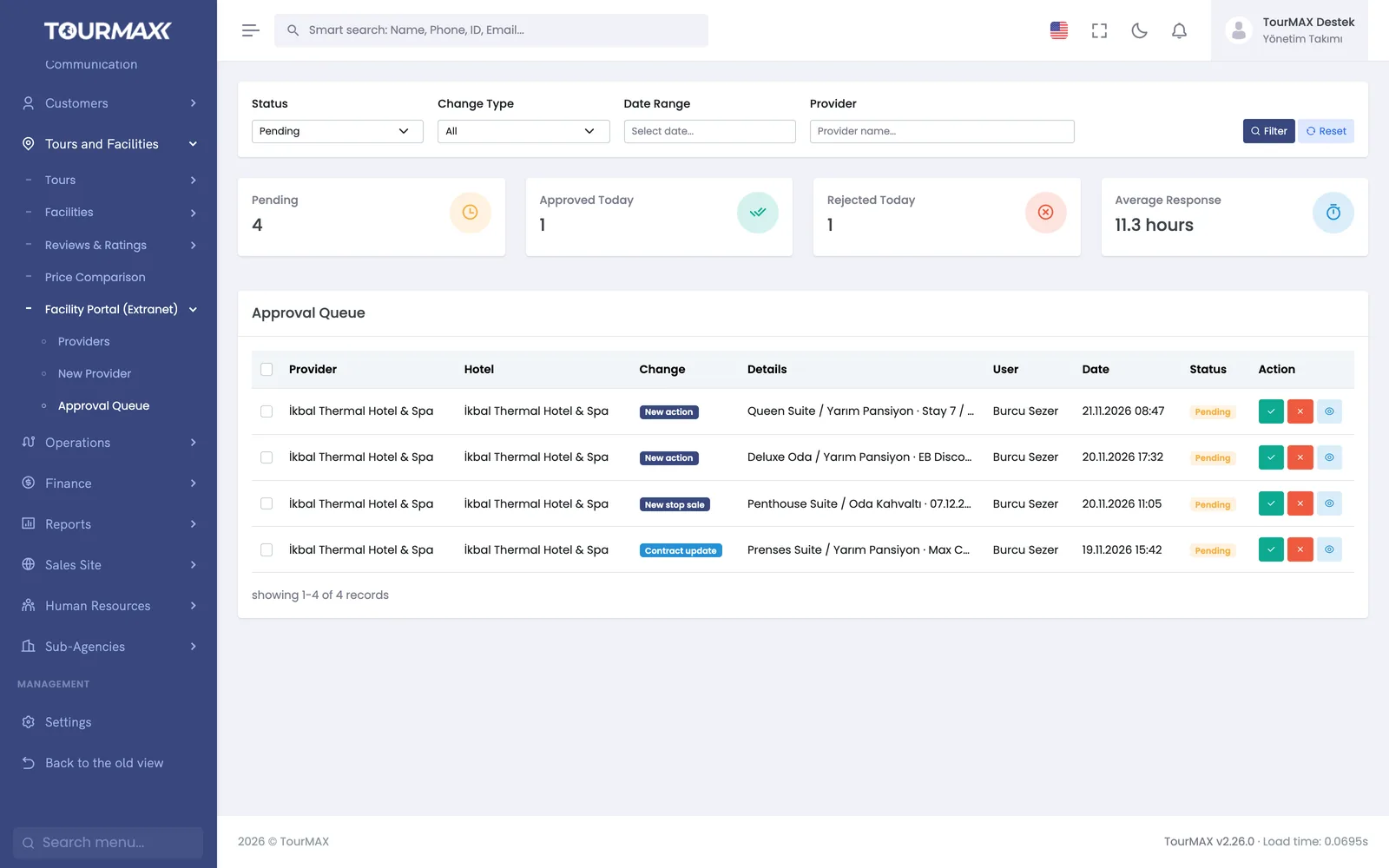
Hotels enter their own prices and allotments, and you approve them
Through the property portal (extranet), the hotel enters its own contract, promotions and dates closed to sale (stop sale). For hotels with the approval rule enabled, changes land in the approval queue with their old and new values and go live once you approve them. A permission matrix defines which fields each hotel can change.
- Pending changes are approved or rejected in bulk
- The hotel confirms or rejects bookings through the portal
- The hotel gets its own PDF and Excel reports
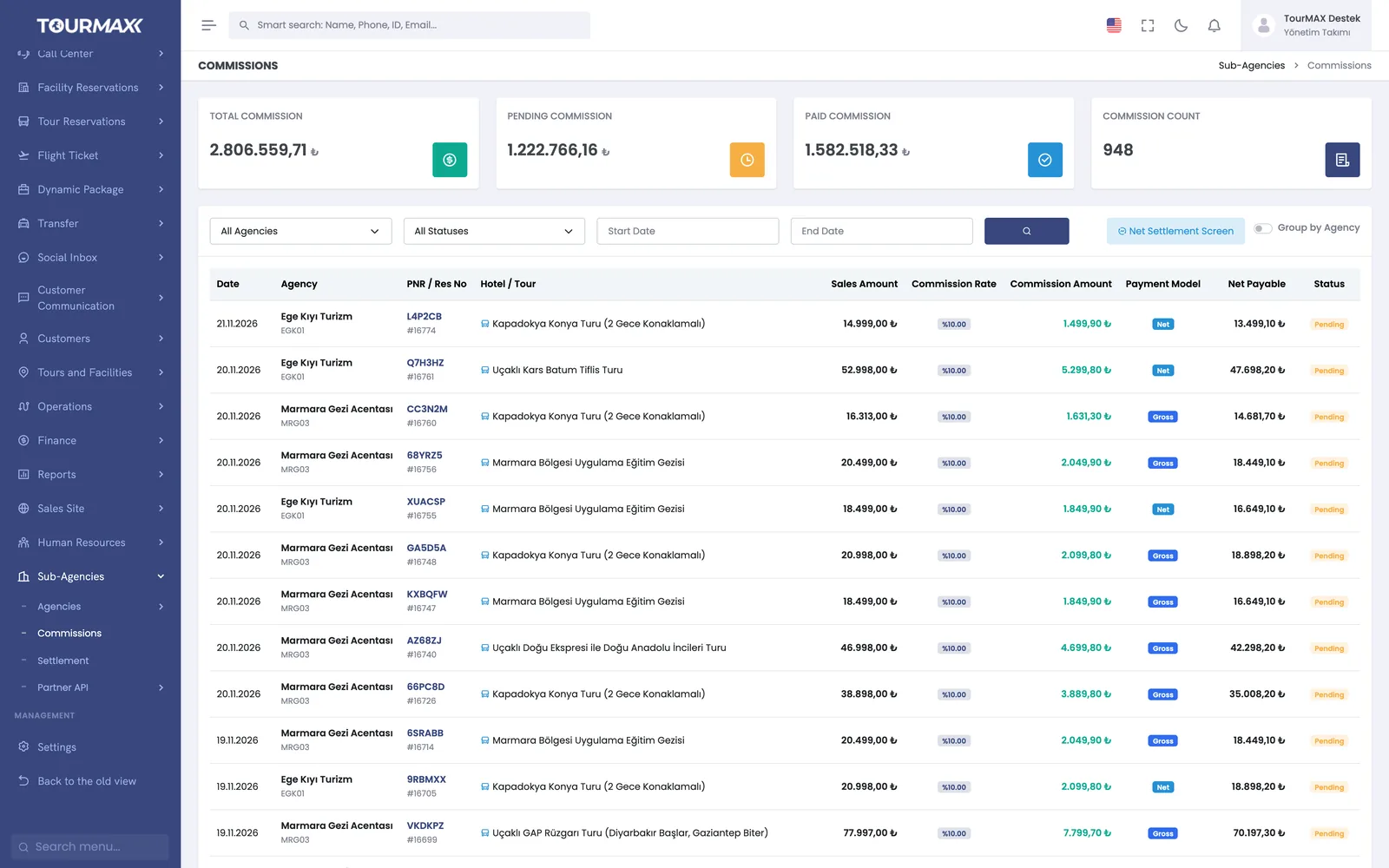
Commission is calculated automatically on every sale
The commission or net working model, gross or net payment and product-based commission rates are defined on the sub-agency card. With every booking, the sub-agency’s commission and current account are processed automatically. Total, pending and paid commissions are tracked in one list.
- Paid, cancelled and offset statuses are tracked
- The list is filtered by sub-agency, status and date
- The current account statement is sent to the sub-agency
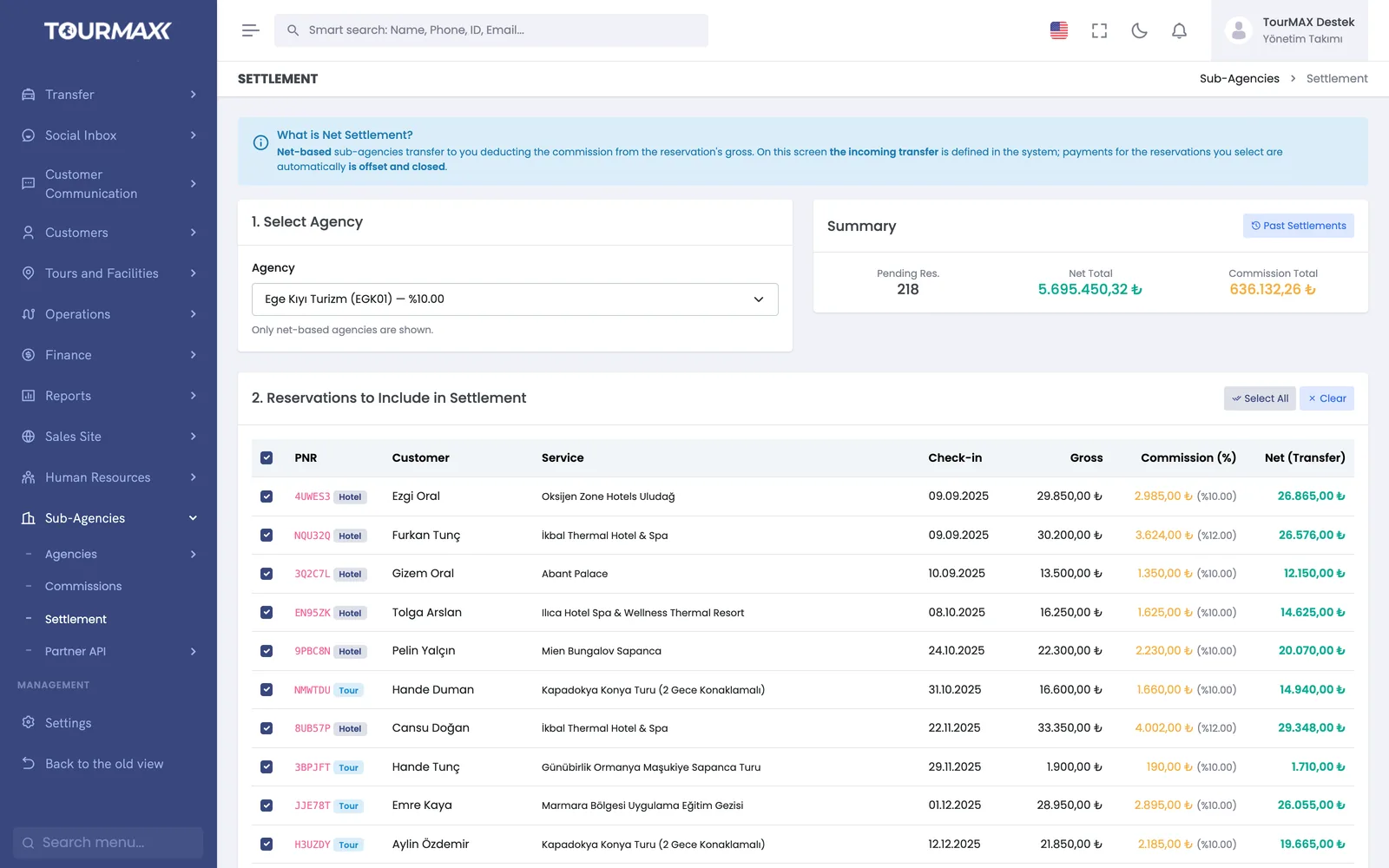
Reconciliation with net-model sub-agencies is done on one screen
A sub-agency on the net model deducts its commission from the gross amount of the booking and transfers the rest to you. On the reconciliation screen you record the incoming transfer; payments for the bookings you select are offset and closed automatically.
- A bulk bank transfer is allocated across bookings
- Past reconciliations are listed on the same screen
- Current account aging is tracked in 5 brackets, from 0-30 days to over 180 days
Your partners’ software connects live
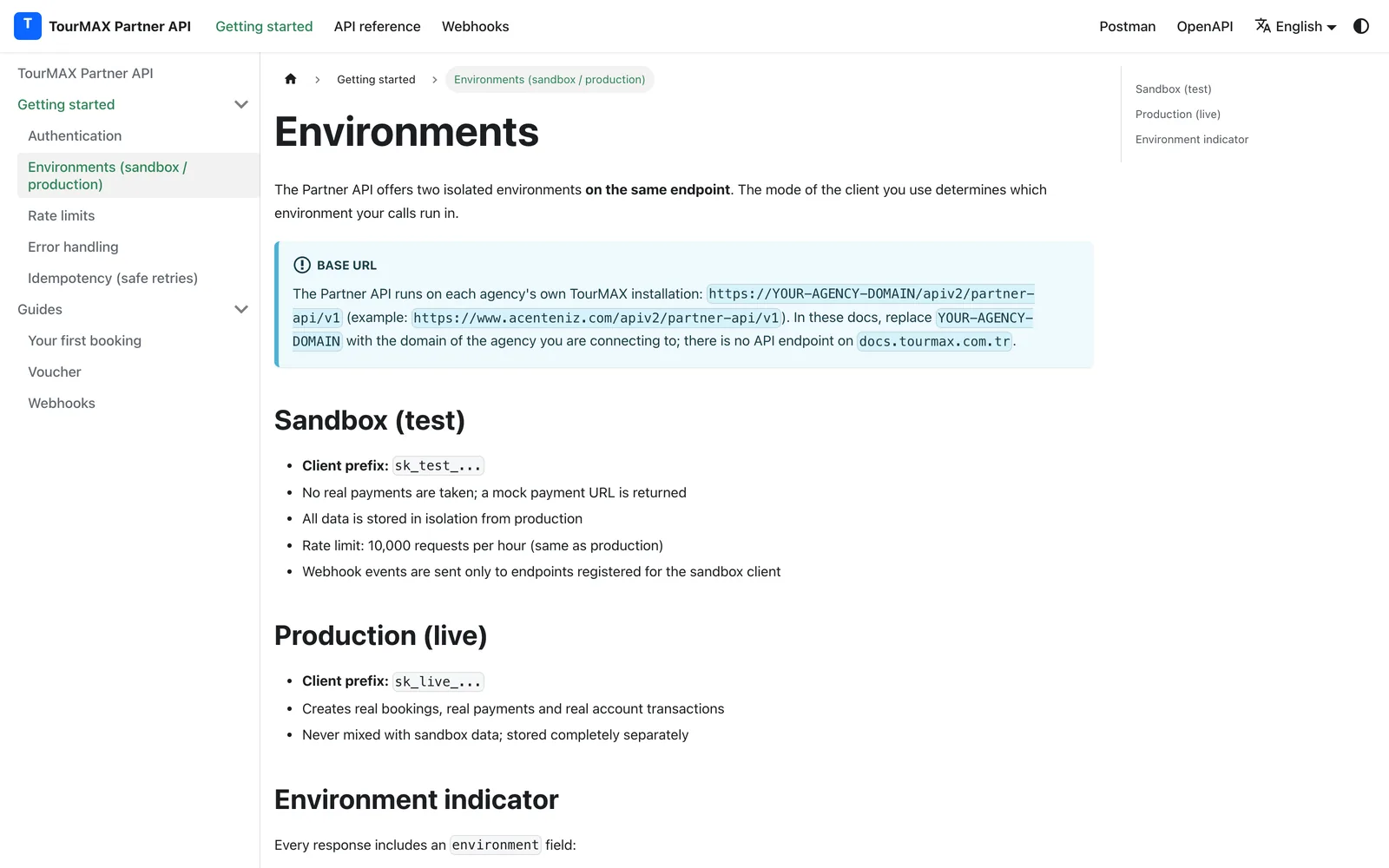
A sub-agency or partner with its own software connects via the Partner API. It searches hotels and tours, locks a quote for 15 minutes, makes bookings, gets vouchers and cancels. Documentation, a test (sandbox) environment and a Postman collection are ready; the partner’s software is tested in the sandbox first and then goes live.
- OAuth 2.0 and 8 permission scopes
- 6 HMAC-signed webhook events with retries
- Request audit logs, key rotation and revocation
A separate site for each brand and sub-agency, one installation
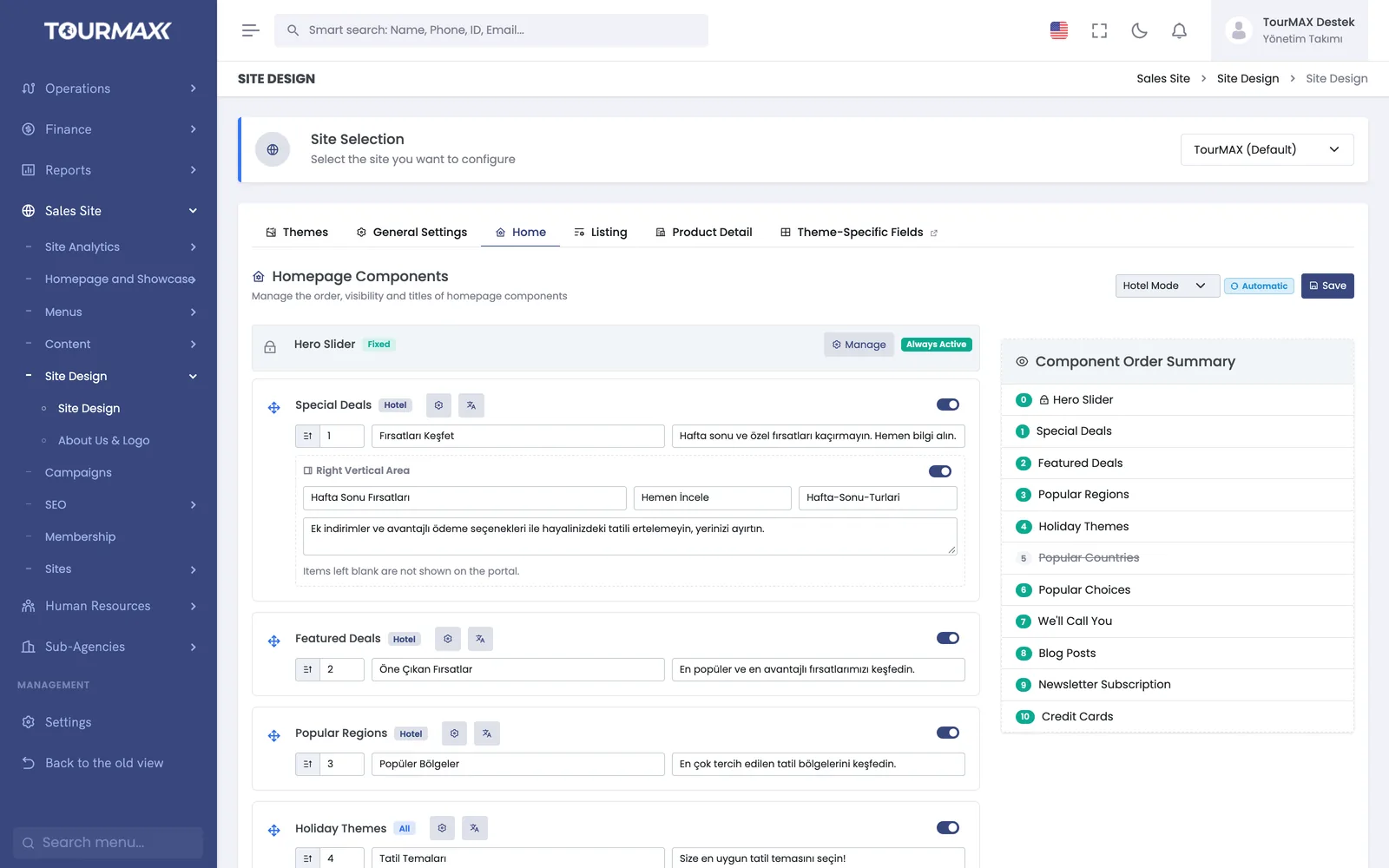
Multiple brands and booking websites are managed from the same installation. Each site has its own language, theme and document profile; the theme is chosen from the gallery and adapted to the brand with more than 60 settings. User permissions are granted by role and team, and reports are filtered by sales channel and sub-agency.
- Colors, logo, font, header and footer are set without code
- Home page components are reordered and switched on or off
- Each site is published on its own domain
B2B Sales Channels
Sub-agency portal, commission and net reconciliation, extranet and Partner API.
Learn more →Booking Website
A separate site for each sub-agency or brand, managed from the same installation.
Learn more →Accounting and Finance
Sub-agency current accounts, commission receivables and net reconciliation.
Learn more →Reports and Dashboard
Sales report filtered by sales channel and sub-agency, plus the agent scorecard.
Learn more →Commonly connected integrations


The sub-agency portal and the extranet are included from the Professional plan upward. The number of partners is 30 on Professional and 60 on Premium; the number of live Partner API connections is 2 on Professional and 10 on Premium. Both are unlimited on Enterprise. Premium is recommended for up to 5 sites, and Enterprise for unlimited sites and white label.
Compare plans